

AI note-taking is moving fast, and what felt “smart” last year can already feel outdated. If you’re exploring Read.ai Alternatives for the year ahead, it helps to know what “best” actually means now. Teams are expecting more than a recap. The top tools can automatically capture decisions, detect action items, generate follow-up emails, and sync notes into the apps you already use – like Slack, Notion, Google Docs, CRM platforms, and project managers. Some focus on sales conversations and deal coaching, others are built for product teams and user research, and a few prioritize privacy controls for regulated industries.
The right choice depends on whether you need lightweight notes for daily standups or a full “meeting-to-work” system that turns calls into tasks, documentation, and momentum. In this article, we’ll break down the top Read.ai alternatives for 2026, including what each tool does best, who it’s ideal for, and which features are worth paying for.
30-Second Overview of Best Read.ai Alternatives
- FuseBase – Branded client workspaces + meeting recaps
- Gong – Sales coaching + deal insights
- Supernormal – Clean, structured notes
- tl;dv – Highlights, timestamps, and research-friendly recaps
- Fireflies.ai – All-rounder with strong integrations
- Fellow – Agendas, decisions, and action items
- Avoma – Sales-focused notes + automation
- Otter.ai – Fast transcription + searchable notes
What is Read.ai?
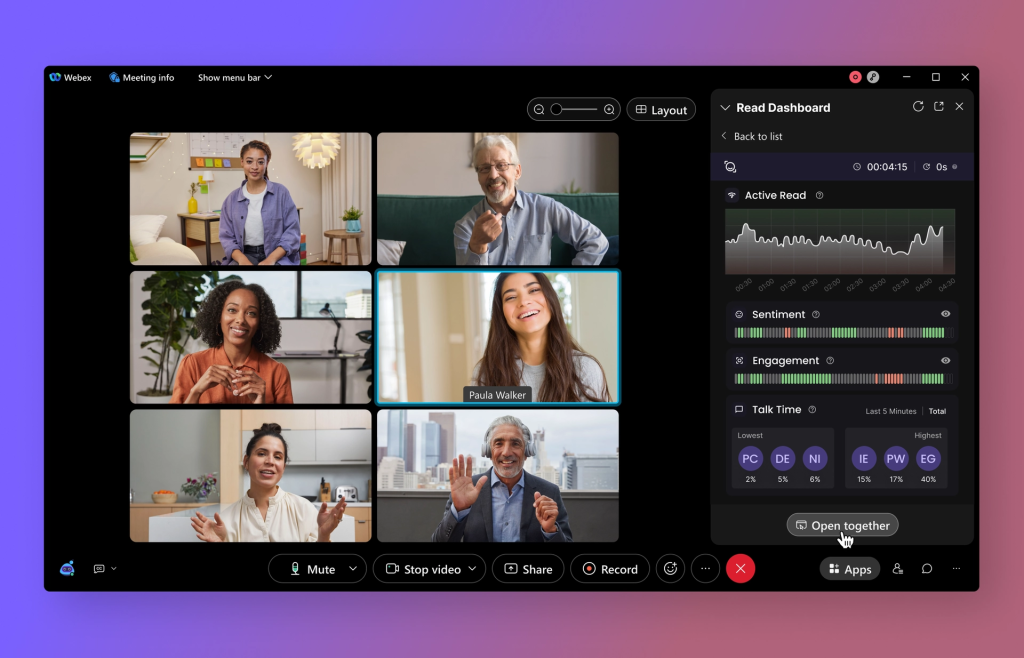
Read.ai is a meeting intelligence platform that combines fast transcription with engagement analytics, real-time sentiment, and speaker coaching. Its Search Copilot lets you query across meetings, emails, and docs in natural language, pulling decisions, action items, and context on demand. It’s built for teams that want automatic documentation, searchable history, and in-meeting insights at scale.
Who chooses Read.ai:
- Cross-functional teams that need searchable, unified knowledge across conversations
- Larger orgs prioritizing engagement analytics, performance coaching, and consistent summaries
- Leaders who want dashboards to spot patterns, risks, and follow ups across many meetings
Pros:
- Accurate AI summaries and clear action items help you multitask without losing context
- Real-time sentiment, engagement metrics, and speaker coaching boost meeting quality
- Strong cross-meeting search via Search Copilot, plus notably solid Spanish-English translation
- Quick setup and recognizable in-meeting branding reduce confusion
Cons:
- Bot can auto-attach to calendars and may join meetings even after deactivation
- Aggressive marketing and signup flows frustrate teams
- Free plan is too limited for meaningful enterprise trials
- Removal and governance controls can feel heavy for admins
Top 8 Read.ai Alternatives
If Read.ai isn’t quite matching your workflow, you’re not short on options. The market has matured fast, and today’s best tools do more than capture what was said: they turn meetings into searchable knowledge, clear action items, and shareable recaps your team will actually use. Below, we’ve rounded up the top 8 Read.ai alternatives, highlighting what each one does best so you can find the right fit in minutes.
1. FuseBase

FuseBase is a bot-free AI meeting recorder and workspace that turns every Zoom, Teams, or Meet call into a shareable mini-room with recap, files, and next steps on your domain. Instead of a smarter transcript link, you deliver a branded client room and an internal-only view. AI agents watch calls for risk, opportunities, and follow-ups, then convert them into real tasks, trackers, and save-the-deal actions across your stack.
Key features:
- Mini-rooms per meeting with recap, decisions, next steps, and attached assets
- White-label by default so every shared room lives under your brand and domain
- Internal vs external split to keep client recaps clean while risks and coaching stay private
- Trackers for real revenue signals like scope creep, no next meeting, budget gaps, and renewal risk
- AI agents and dashboards that auto-create tasks, trigger follow-ups, and surface risk across accounts
Best use-case: Client-facing teams that want polished, shareable rooms and automated follow-through that protects revenue and retention.
2. Gong
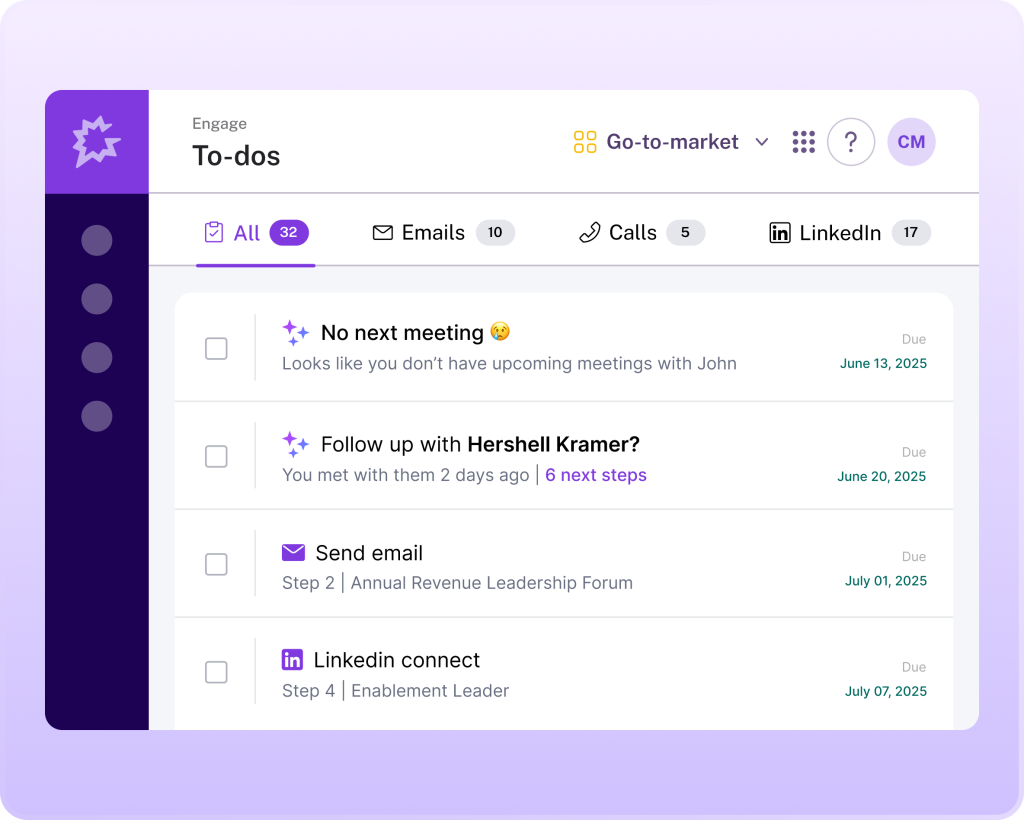
Gong is a revenue intelligence platform that turns sales conversations into deal and pipeline insight, while delivering accurate, user-friendly notes with Call Spotlight. It auto-transcribes and analyzes calls, surfaces risks and trends, and syncs structured summaries directly to your CRM without using public-facing AI models. If you want AI notes that tie directly to forecasting, coaching, and deal progression, Gong is the heavyweight pick.
Key features:
- Call Spotlight summaries with Highlights, Outline, and Call Briefs for rapid handoffs
- Ask Anything to query calls in plain English and extract risks, objections, and next steps
- Deal and pipeline analytics for forecast confidence, risk flags, and trend tracking
- Coaching intelligence that benchmarks reps by stage, topic, and talk patterns
Best use-case: Large, mature sales organizations that need AI notes wired into revenue intelligence, forecasting, and rep coaching at enterprise scale.
3. Supernormal
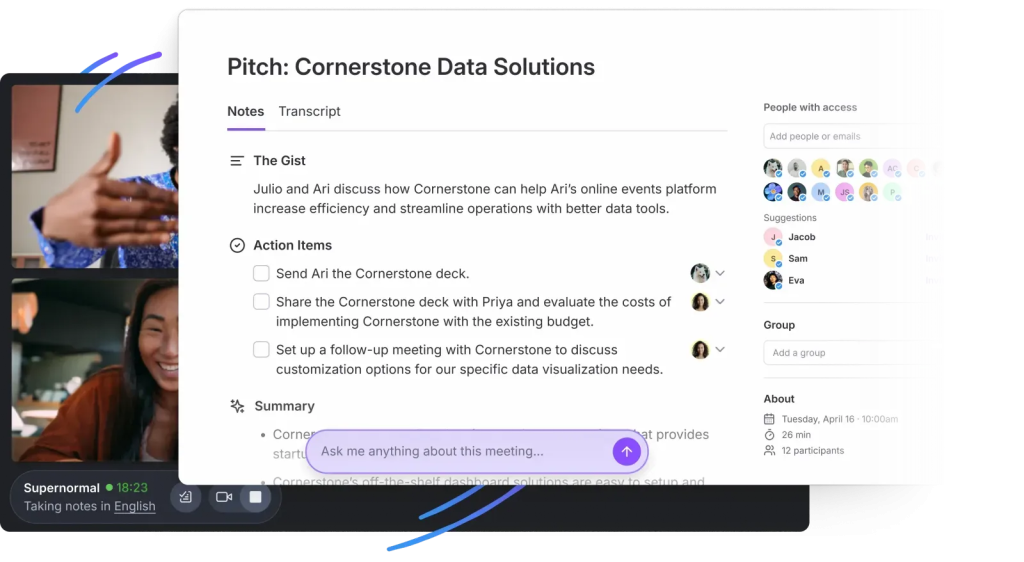
Supernormal focuses on structured documentation and action item routing, turning every Zoom, Meet, or Teams call into notes that match your process. Design your own summary templates, capture decisions and next steps, and push tasks straight into tools like Salesforce, HubSpot, Asana, Trello, Notion, and Slack. With a real-time AI assistant and 60+ language support, teams get consistent outputs and fewer dropped follow-ups.
Key features:
- Custom templates by meeting type so every summary mirrors your workflow
- Action item detection with automatic assignment into your CRM and PM stack
- Real-time AI assistant for in-call queries, clarifications, and instant highlights
- Central library with topic and group organization for fast retrieval and sharing
Best use-case: Sales and client-facing teams that want consistent, template-driven notes and automatic task handoffs into daily tools.
4. tl;dv
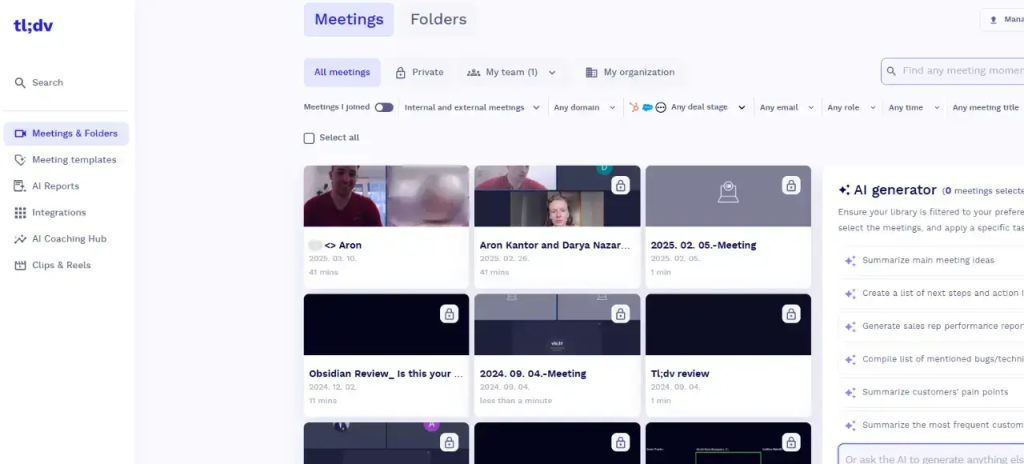
tl;dv is a researcher-first notetaker that records across Zoom, Google Meet, and Microsoft Teams, transcribes, and turns interviews, workshops, and user calls into shareable insight trails. Built for PMs and researchers, it adds fast tagging, team libraries, and multi-meeting analysis so you can spot patterns, update systems, and ship decisions without sifting through full recordings.
Key features:
- Cross-platform recording and transcription with researcher-grade tagging and highlights
- Multi-meeting intelligence that analyzes trends and sends digest reports to your inbox
- Workflow add-ons like CRM auto-updates and drafted follow-up emails to close the loop
- In-context collaboration with comments, tags, and action assignments inside transcripts
Best use-case: Product and research teams running frequent interviews who need structured insight capture, trend analysis, and stakeholder-ready summaries.
5. Fireflies.ai
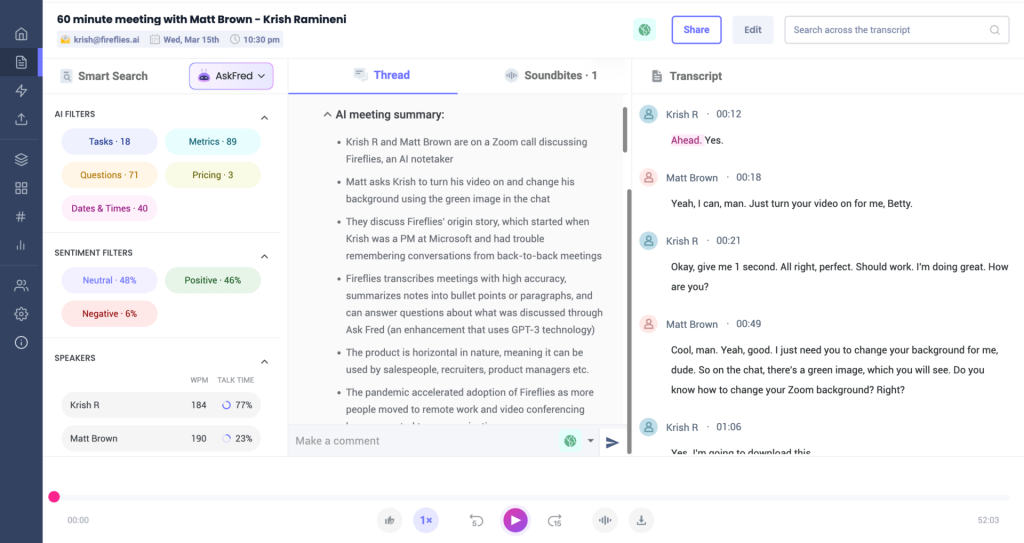
Fireflies.ai is a popular recorder and notetaker that auto-joins Zoom, Google Meet, Microsoft Teams, and most dialers to record, transcribe, and generate clean summaries. It supports 40+ languages, offers generous free storage, and lets teams collaborate inside transcripts with comments, pins, and shareable soundbites. With broad integrations and low-cost scaling, it’s a pragmatic option for quick setup and reliable recap without enterprise overhead.
Key features:
- Auto-join recording and AI summaries with customizable structure
- Multilingual transcription (40+ languages) with speaker IDs and clickable audio playback
- Generous free tier (around 800 minutes storage, 3 file uploads) with inexpensive upgrades and mobile apps
- Integrations across CRMs, calendars, and collaboration tools; in-transcript comments, pins, and soundbites
Best use-case: Teams that want fast, budget-friendly recording and AI notes across multiple meeting platforms with simple collaboration and search.
6. Fellow
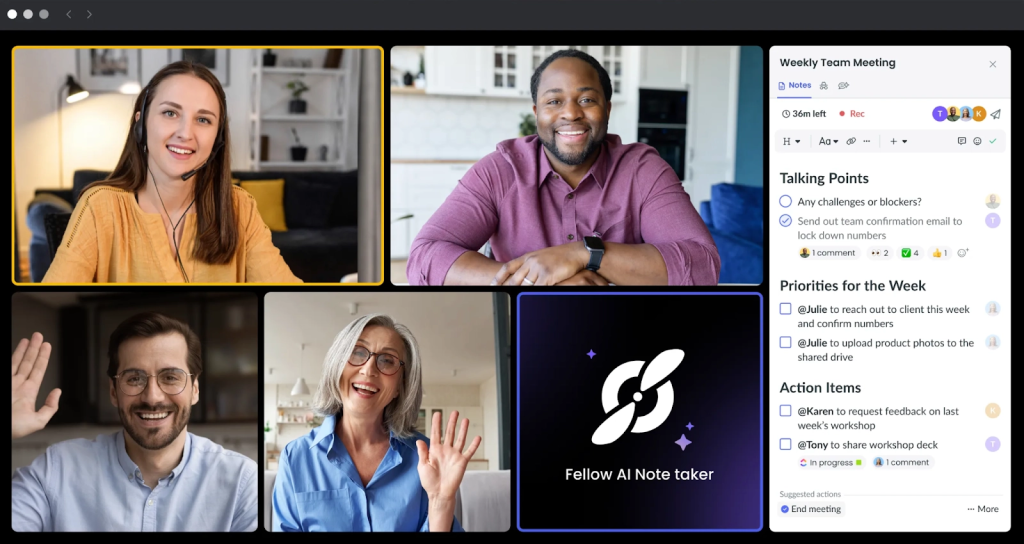
Fellow prioritizes meeting management over heavy analytics, giving managers and teams everything they need before, during, and after calls. Pre-meeting briefs, AI-generated talking points, and collaborative agendas keep discussions focused, while transcripts, recordings, and crisp notes in 35+ languages make outcomes easy to share and act on. With Ask Copilot for instant answers and deep integrations into your calendar, CRM, and workflow tools, Fellow helps back-to-back leaders stay on track without drowning in admin.
Key features:
- Pre-meeting briefs, AI talking points, and 500+ agenda templates so you show up prepared
- Transcripts and recordings across Zoom, Meet, and Teams in 35+ languages, organized in channels
- In-meeting collaboration: shared agendas, action item assignments, feedback, and quick sharing
- Ask Copilot and meeting trend analytics to extract insights and track team rituals at scale
Best use-case: Managers and cross-functional teams running frequent 1:1s and team meetings who need disciplined agendas, clean notes, and reliable follow-through without a heavy revenue-intelligence layer.
7. Avoma
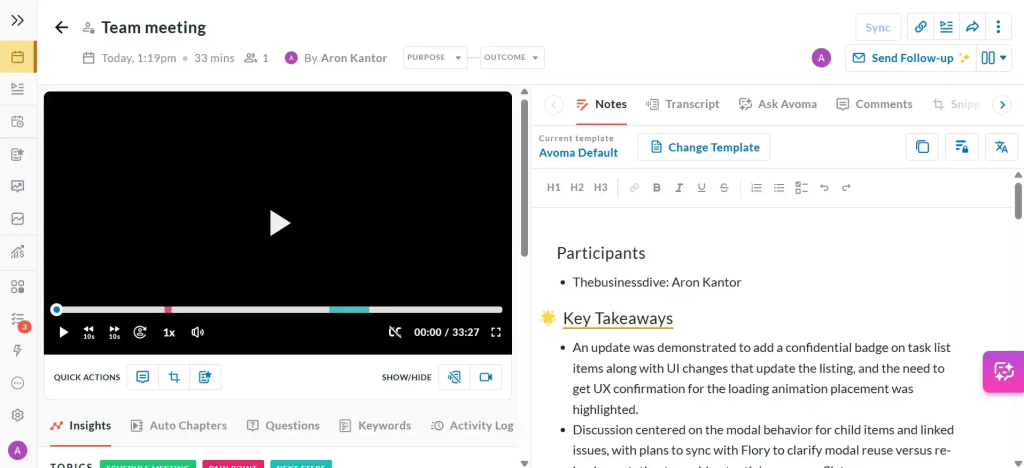
Avoma is a comprehensive meeting assistant that centralizes transcription, AI notes, and follow-ups for sales, success, and product teams. It auto-extracts action items, detects objections, highlights positive moments, and organizes conversations by speaker and topic, giving teams a clear planned vs discussed view and fast handoffs to Slack, CRM, and docs. Think hybrid meeting intelligence: not heavy forecasting, but strong collaboration and searchable insights across calls.
Key features:
- Automated transcription with AI-generated notes, speaker ID, and topic categorization
- Action item extraction plus objection and positive-moment detection for crisp follow-through
- Shared agendas synced to transcripts, with snippet playlists for rapid review and sharing
- Flexible exports to Slack, CRM, and internal docs, with trend analytics across meetings
Best use-case: Cross-functional teams that need reliable AI notes and action tracking with easy sharing and light revenue insights, without the weight of full enterprise coaching and forecasting.
8. Otter.ai
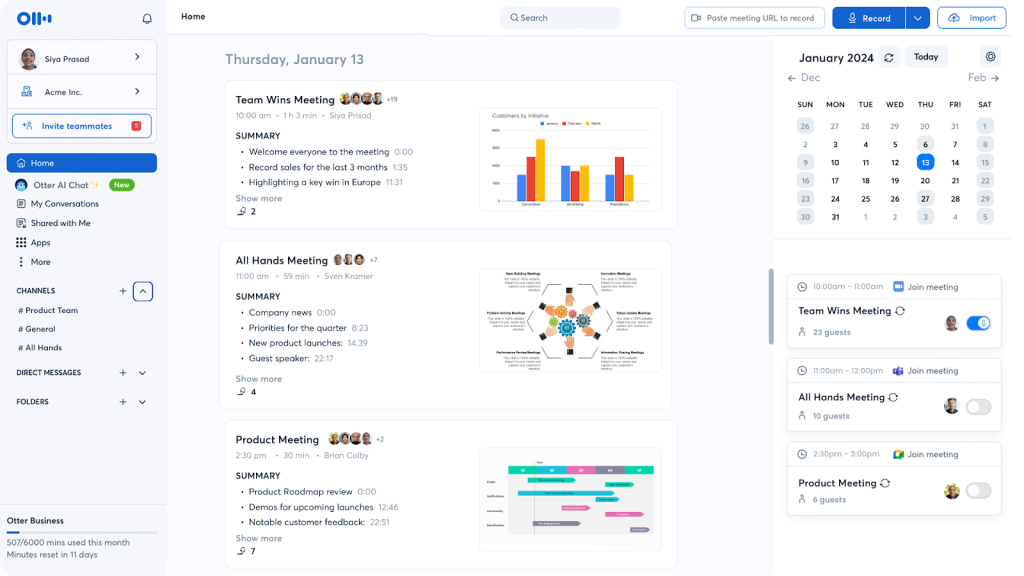
Otter.ai is a practical, transcription-first meeting assistant that captures live notes across Zoom, Google Meet, and Microsoft Teams in English, French, and Spanish. It delivers post-call summaries with action items, supports file uploads for audio/video transcription, and offers strong collaboration features like comments, emojis, highlights, task assignments, and team channels. While it doesn’t provide native video recording and deeper analytics are reserved for enterprise plans, Otter remains a reliable, accessible choice with Zapier-enabled integrations and mobile apps for on-the-go access.
Key features:
- Live transcription and post-meeting summaries with action items across Zoom, Meet, and Teams
- File uploads for audio/video transcription (3 imports on the free plan)
- Real-time collaboration: comments, emojis, highlights, task assignments, and team channels
- Zapier integration for 7,000+ apps, plus mobile apps for anytime access
Best use-case: Teams and individuals who want dependable, budget-friendly transcription and collaborative notes without heavy analytics or video recording needs.
Conclusion
If you are replacing Read.ai in 2026, decide first what outcome you’re buying.
- For quick, affordable notes and broad coverage:** Fireflies, Fathom, Otter.
- For research-heavy workflows with structured insights and trends: tl;dv.**
- For templated outputs, action routing, and cross-functional collaboration: Avoma, Supernormal.
- For enterprise forecasting, deal health, and coaching analytics: Gong.
- For client-facing meetings where every call becomes a branded, shareable mini-room with recap, files, and next steps: FuseBase.
Whichever tool you choose, run a one-week pilot with real meetings and judge it by saved time, clarity of outcomes, and how often your team actually revisits the notes.