

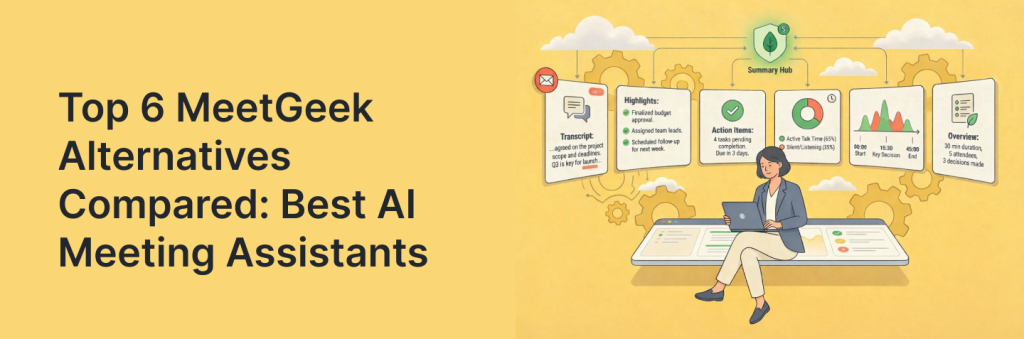
Choosing a meeting assistant is really choosing an operating system for follow-ups. Different MeetGeek alternatives optimize for different outcomes – cleaner transcripts, smarter summaries, deeper analytics, or tighter CRM and project tool sync. So the “best” option depends on how your team runs meetings and executes afterward. Some tools shine in sales and customer success with coaching signals and pipeline-friendly notes. Others are better for cross-functional teams that need shared workspaces, searchable knowledge, and clear ownership of next steps. And a few stand out for automation, turning decisions into tasks, emails, and updates without extra admin.
In this comparison, we’ll break down six leading MeetGeek alternatives, show what each tool does best (and where it falls short), and map them to real workflows, so you can pick the right assistant based on accuracy, collaboration needs, integrations, and how much follow-up you want automated.
TL;DR – Best MeetGeek Alternatives
- FuseBase: Branded mini-rooms per meeting, internal-only risks, and AI agents that turn insights into real tasks and workflows.
- Supernormal: Template-driven, decision-focused notes with automatic action assignment and deep integrations.
- Avoma: End-to-end sales/CS workflow with agendas, live capture, coaching, and deal insights in one flow.
- Fireflies.ai: Search-first review, AI summaries, video recording, and CRM-sync for a scalable knowledge hub.
- Read.ai: Real-time engagement analytics, sentiment, and speaker coaching plus cross-stack Search Copilot.
- Fathom: Lightning-fast real-time transcription, mid-call highlights, instant clips, and a standout free plan for individuals.
What is MeetGeek?
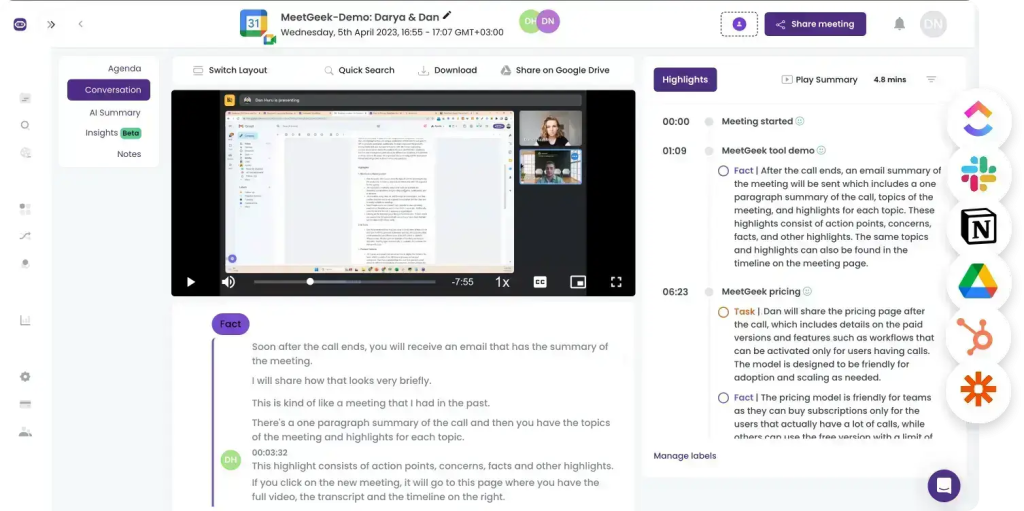
MeetGeek is an AI meeting assistant designed to keep everything from your calls organized – automating recording, transcription, and summaries for both online meetings and uploaded audio/video files. It works with Zoom, Microsoft Teams, and Google Meet, supports 50 languages, and lets you structure outputs with custom templates, folders, tags, and a searchable meeting library. In practice, it’s built for teams that want consistent documentation: key points, highlights, decisions, tasks, and next steps packaged into a clean, shareable recap – often with video snippets you can send to teammates.
It also goes beyond basic note-taking with conversation intelligence features, making it a strong option for sales teams that want lightweight coaching without a long setup process. That said, MeetGeek has its limits. Depending on your needs, you may run into constraints around workflow flexibility, advanced sales automation, or how quickly and accurately it handles specialized language, accents, and context-heavy discussions.
Limitations of MeetGeek
MeetGeek is an organized, feature-rich AI meeting assistant, but it isn’t a perfect fit for every team. A common limitation is transcription consistency: while it can perform well in standard conditions, users often report weaker accuracy with heavy accents, fast speakers, jargon, and industry-specific terminology, which can ripple into lower-quality summaries. MeetGeek also doesn’t support simultaneous multi-language transcription in the same meeting, which can be a deal-breaker for multilingual teams.
Teams also point out workflow friction. MeetGeek typically joins meetings by default, and if you don’t want the bot in a specific call, you may need to change settings manually each time. Meeting availability can be another pain point: new meetings may sync slowly, sometimes taking up to an hour to appear, and you generally can’t start transcription mid-meeting unless the session was scheduled in advance. These small delays add up in fast-paced environments where meetings change last minute.
6 Best MeetGeek Alternatives
1. FuseBase
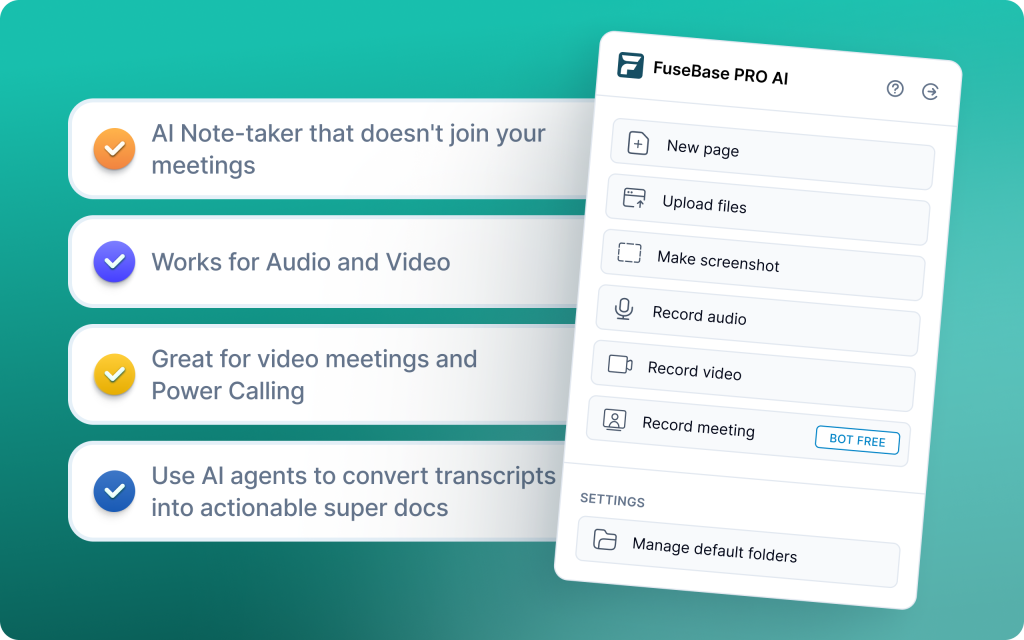
FuseBase is a bot-free AI meeting recorder and workspace that turns every Zoom, Teams, or Meet call into a shareable mini-room with recap, decisions, next steps, and supporting assets. Its AI agents watch calls for risk, opportunities, and follow-ups, then push real actions into your CRM/PM stack. You get branded, white-label rooms by default and a clean split between client-ready summaries and internal-only coaching and risk, elevating a recorder into a true Client Delivery Platform.
Pros
- Mini-rooms per meeting with recap, files, and next steps
- Branded, white-label links under your domain
- Internal vs external split to keep risks private
- AI agents that auto-create tasks, trackers, and follow-ups
- Trackers for revenue signals like scope creep and no next meeting
- Rollup dashboards highlighting gaps and rising risks
Cons
- Can feel heavy for solo users who just want a simple scratchpad
- Not designed for cold calls and sales rep coaching
Use cases
Professional services, agencies, and CS teams that need client-ready rooms plus internal-only risk and automated follow-ups tied to their existing tools.
2. Supernormal
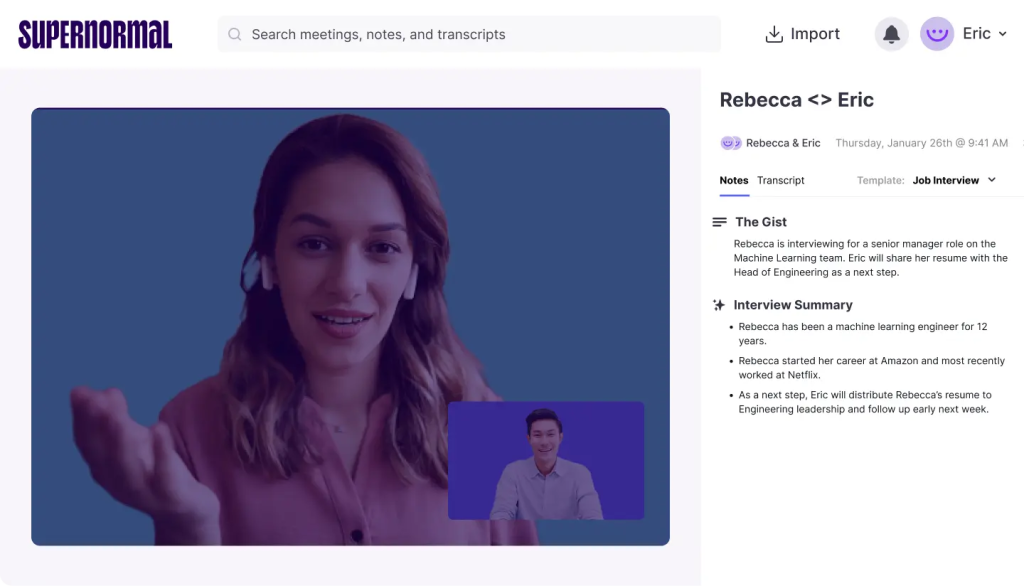
Supernormal is a documentation-first meeting assistant for Zoom and Google Meet that turns conversations into structured, decision-focused notes in real time. It standardizes agendas, recaps, actions, and owners via templates and AI automation, then syncs everything to your stack (Salesforce, HubSpot, Notion, Asana, Trello, Google Docs, Slack). With action-item extraction, decision tracking, and 60+ language support, teams get clean, work-ready documentation without post-call cleanup.
Pros
- Real-time summaries that capture agendas, decisions, and next steps
- Template-based notes for consistent, repeatable documentation
- Automatic action item detection and assignment
- Deep integrations with major CRMs and collaboration tools
- 60+ language support for global teams
Cons
- Requires a meeting bot to join – no bot-free recording
- Some advanced features and integrations sit behind higher-tier plans
Use cases
Remote and cross-functional teams that need fast, standardized, decision-ready meeting docs with automatic actions and seamless handoff into existing tools.
3. Avoma
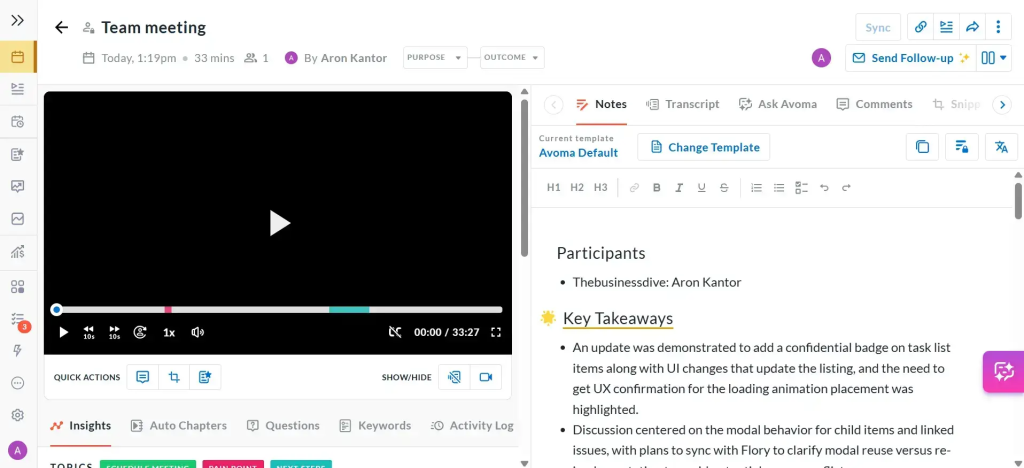
Avoma is an end-to-end meeting lifecycle platform that automates note-taking, real-time transcription, and conversation analysis so teams can focus on the discussion. It standardizes prep with agenda templates, captures insights live, and delivers AI notes plus coaching signals post-call. Revenue teams lean on Avoma to surface deal risks, talk-time patterns, objections, and sentiment cues, then sync outcomes to CRMs and conferencing tools for smooth handoffs.
Pros
- Real-time transcription with AI-generated summaries and action items
- Conversation intelligence for talk-time, objections, and sentiment cues
- Pre-built agenda templates to standardize discovery and QBRs
- Manager coaching workflows with reviews, highlights, and scorecards
- Strong integrations with major CRMs and meeting platforms
Cons
- Higher pricing tiers to unlock advanced analytics and CI depth
- May feel heavy for general business users
Use cases
Sales and customer success teams that want structured prep, live capture, and post-call coaching with deal insights in one continuous workflow.
4. Fireflies.ai
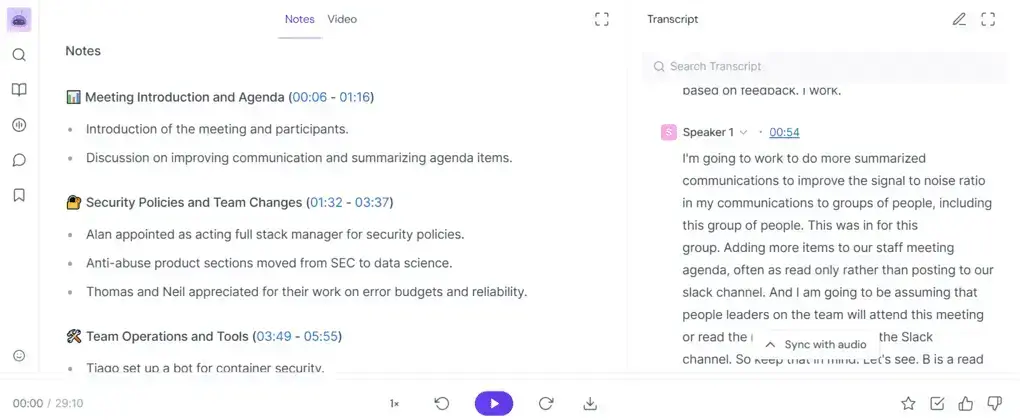
Fireflies is an AI note-taking and meeting organization platform that records, transcribes, and summarizes calls with video recording built in. It excels at rapid review: smart search and topic filters let you skim a 60-minute meeting in minutes, while AI super summaries capture next steps, action items, and topic-wise notes. Teams can build a searchable knowledge hub, collaborate on snippets, and sync outcomes to CRMs to automate follow-ups.
Pros
- AI super summaries with action items, next steps, and topic-wise notes
- Powerful search and filters to review long calls in minutes
- Video recording plus a searchable meeting library for a knowledge hub
- CRM and workflow integrations to automate handoffs
- Generous free usage and comparatively affordable business tiers
Cons
- Compliance and accuracy gaps: sentiment analysis flags EU concerns
- Operational friction: bot can join late, some key features behind higher tiers and complex pricing
Use cases
Customer-facing teams that want fast search, AI summaries, video capture, and CRM-sync workflows to turn meetings into a searchable knowledge hub.
5. Read.ai
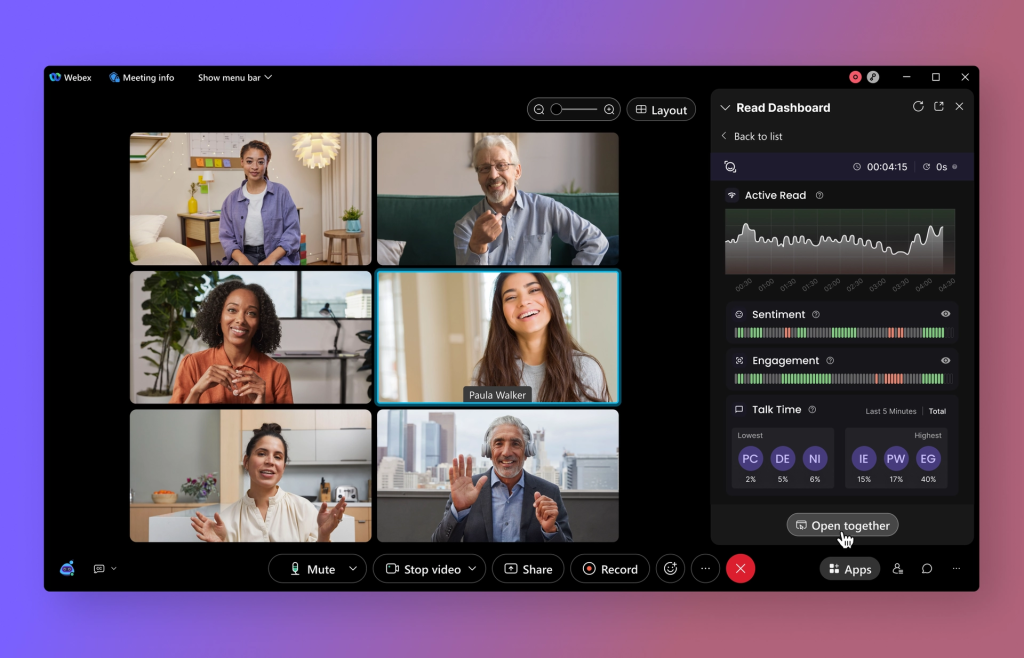
Read.ai focuses on automatic note-taking, smart summarization, and real-time collaboration while measuring engagement and speaker performance. Transcription 2.0 layers sentiment and audience reactions onto the transcript, AI summaries capture decisions and follow-ups, and speaker coaching gives feedback on clarity, talk time, and filler words. The Search Copilot lets you query across meetings, email, chat, and docs, and cross-platform summaries pull signal from Gmail, Outlook, Slack, and Teams.
Pros
- Transcription 2.0 with sentiment and audience reactions baked into notes
- Speaker coaching with real-time feedback on clarity, pacing, and filler words
- Live engagement metrics to spot confusion and drive better in-meeting decisions
- Search Copilot to retrieve answers across meetings, email, chat, and documents
- Cross-platform summaries from Gmail, Outlook, Slack, and Teams for unified context
Cons
- Free plan is too limited for meaningful team evaluation
- Bot behavior can feel intrusive and auto-attach to calendars, frustrating users
Use cases
Teams that want real-time engagement insights, speaker coaching, and fast, cross-platform retrieval of decisions and follow-ups across meetings and communications
6. Fathom
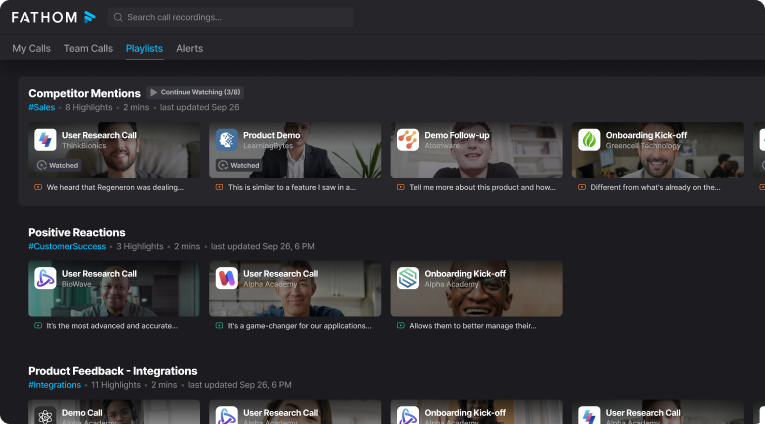
Fathom records, transcribes, and summarizes meetings on Zoom, Google Meet, and Microsoft Teams with real-time transcription built for speed. You can create mid-call highlights, get 1-click AI summaries, instantly download recordings and transcripts, and sync outcomes to Google Docs, Notion, and Asana. Its standout is a generous free plan with unlimited recordings and storage for individuals, plus fast clips and team search on paid tiers.
Pros
- Real-time transcription across Zoom, Google Meet, and MS Teams
- Mid-call highlights with AI summaries and instant clips/downloads
- Excellent free plan for individuals with unlimited recordings and storage
- Direct integrations with Google Docs, Notion, and Asana; team search on paid plans
- Fast review that turns hour-long calls into a few minutes of highlights
Cons
- No sales coaching or multi-meeting intelligence for managers
- Limited language coverage and pricing can feel confusing at scale
Use cases
Individuals and lean teams that want lightning-fast capture, highlight-driven summaries, and easy doc handoff without needing coaching or cross-meeting analytics.
Summary
MeetGeek is strong for organized notes and summaries, but many teams in 2026 need client-ready delivery, real-time coaching, or deeper revenue analytics. The best alternatives split by jobs to be done: FuseBase turns every call into a branded mini-room with internal-only risks and AI agents that create real tasks and trackers; Supernormal standardizes decision-focused documentation via templates and automatic action assignment; Read.ai focuses on live engagement signals, sentiment, and speaker coaching with cross-stack search; Avoma covers the full meeting lifecycle for sales and CS with agendas, live transcripts, and post-call coaching; Fireflies offers fast search-driven review, AI summaries, and CRM-sync to turn meetings into a searchable knowledge hub; Fathom excels at real-time capture, mid-call highlights, and a generous free plan. Pick the tool that matches your primary workflow – client delivery, sales execution, or internal knowledge – so meeting output becomes action, not admin.