


In 2025, AI note-taking isn’t about getting a transcript. It’s about capturing the parts of a call that actually move work forward. Fathom AI is a popular choice, but many teams start looking elsewhere when they need more consistent summaries, stronger integrations, better sharing controls, or a workflow that supports the whole team (not just the person who hosted the meeting). This article breaks down the top 8 Fathom AI alternatives for modern AI note-taking in 2025, so you can pick the option that fits your calls, your collaboration style, and your follow-up process.
Here’s the quick overview of the best Fathom AI competitors:
- FuseBase – Client-facing recaps you can send as-is, plus internal risks/tasks and bot-free recording.
- Avoma – End-to-end lifecycle: real-time notes, action items, CRM sync, and light revenue intelligence.
- Fireflies.ai – Affordable, simple AI summaries and transcripts with wide meeting coverage.
- Otter.ai – Live transcription with speaker IDs, real-time Q&A (Otter AI Chat), and fast, shareable notes.
- tl;dv – Research-friendly tagging, timestamped highlights, and multi-meeting trend summaries.
- Read.ai – Analytics-led summaries with sentiment/engagement overlays and coaching feedback.
- MeetGeek – Organized summaries, templates, timestamped highlights, and broad integrations.
- Supernormal – Template-driven, decision-focused docs with real-time agendas, actions, and owners.
What is Fathom AI?
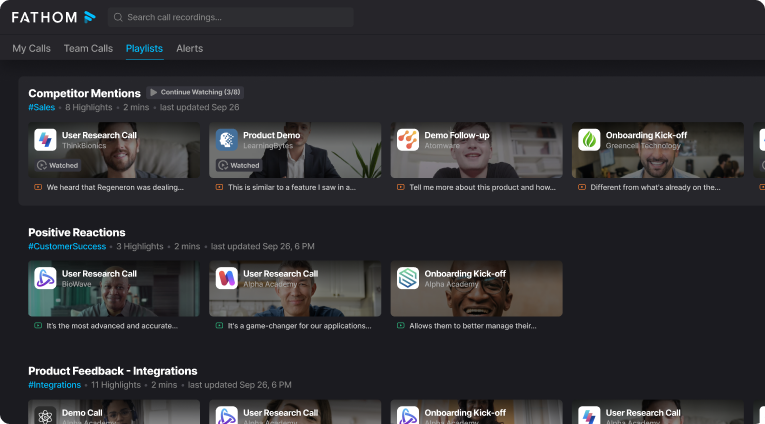
Fathom AI is a meeting assistant and transcription tool that records, transcribes, highlights, and summarizes your calls so you can stay focused on the conversation. It delivers real-time transcription in seven languages and offers a generous free plan for individual users. Customer managers lean on Fathom to capture and share key moments with clients, reinforcing transparency and trust.
Fathom auto-generates call notes and syncs them to the right sections in your CRM, including Salesforce and HubSpot. It also connects smoothly to Google Docs, Notion, and Asana, keeping notes and tasks organized where your team already works. A notable touch is mid-call highlighting – mark a moment, click once, and Fathom’s AI summarizes it for instant context. You can share video clips instead of plain text, which helps teams in Slack and other tools get the full picture faster.
Where it falls short is depth for managers and revenue leaders. Fathom does not provide robust sales coaching features or multi-meeting intelligence to roll insights up across accounts and reps. If you need basic capture and clean summaries, it’s excellent. If you need coaching workflows and cross-meeting analytics, you may outgrow it.
What to Look For in Fathom AI Alternatives?
When comparing Fathom AI alternatives, focus on the parts that affect your workflow after the call, not just the transcript quality.
- Summary quality and structure: Does it reliably capture decisions, context, and next steps (not generic bullets)?
- Action items that become work: Can it assign owners, add due dates, and export or sync tasks to your PM/CRM tools?
- Search and meeting memory: Strong keyword/topic search, tagging, folders, and “ask questions about meetings” features.
- Sharing and client readiness: Clean share pages, permission controls, and options for external stakeholders (branding is a plus).
- Recording reliability: Bot vs bot-free capture, support for Zoom/Meet/Teams, and fewer “missed meeting” edge cases.
- Integrations and automations: Slack, HubSpot/Salesforce, Notion/Docs, Jira/Asana, webhooks plus trigger-based workflows.
- Team and admin controls: Templates, standardized outputs, analytics, access management, and collaboration features.
- Privacy and compliance: Consent controls, retention policies, data residency (if needed), and enterprise security options.
- Total cost at your scale: Per-seat vs per-minute pricing, limits on recordings, and what gets locked behind higher tiers.
Top 8 Fathom AI Alternatives in 2025
1. FuseBase – Best for Client-Facing Teams and Agencies
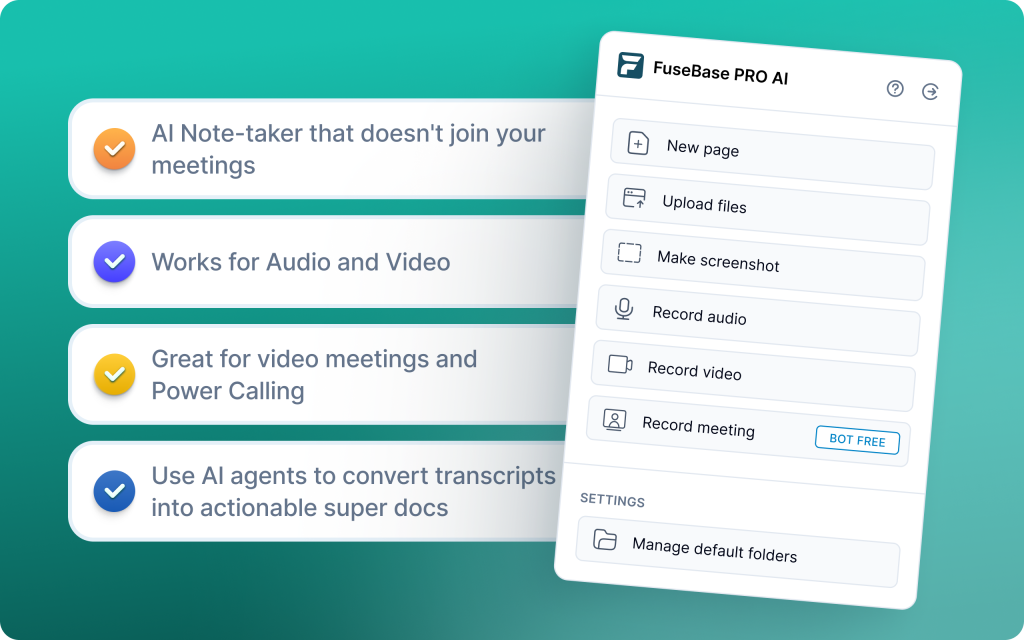
FuseBase is a bot-free AI meeting recorder and client workspace that turns every Zoom, Teams, or Meet call into a branded mini-room with recap, files, and next steps. Instead of sending a naked transcript link, you share a guided space that looks organized and premium under your own domain. AI agents watch calls for risk, opportunities, and follow-ups, then push real actions into your workflows. You get roll-up intelligence across accounts and projects so leaders see patterns, not just single-call highlights.
Key features
- Mini-rooms per meeting with recap, decisions, next steps, and supporting assets
- White-label by default under your brand, logo, colors, and domain
- Bot-free recording plus personal notes, audio notes, and Loom-style async video
- AI agents that flag risks, missed next steps, scope creep, and renewal signals
- CRM and project workflow sync for tasks, owners, and due dates
- Dashboards for multi-meeting intelligence like no-next-meeting and rising risk
- Fast capture of files, links, and follow-up assets in the same room
Pros
- Client-ready experience that feels like your system, not a vendor page
- From transcript to workflow in one place, reducing manual clean-up
- Stronger coaching and risk visibility through cross-call analytics
- Consistent, branded structure across discovery, QBR, and onboarding that cuts confusion and speeds follow-ups
2. Avoma – Best for Revenue Teams
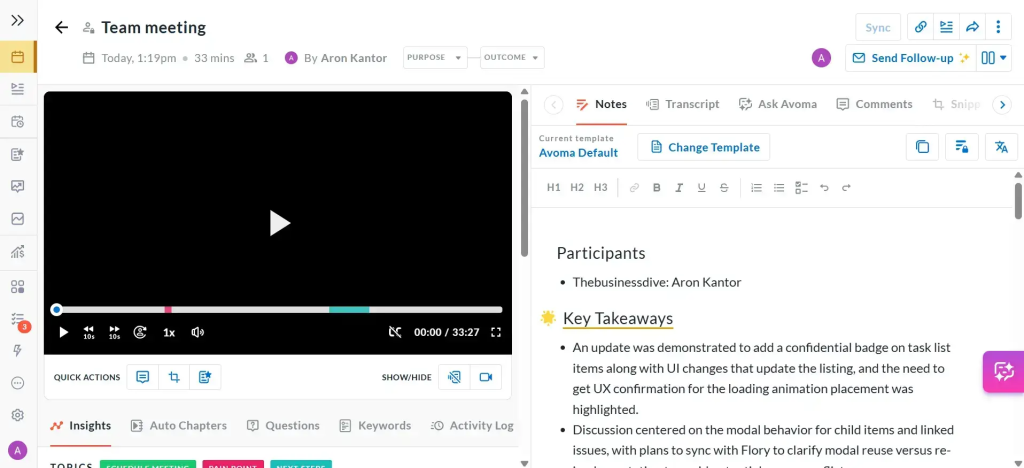
Avoma is an AI meeting assistant with light revenue intelligence that helps sales, CS, and product teams capture insights without manual note-taking. It records and transcribes calls in real time, then auto-summarizes key points, action items, and objections. Avoma syncs notes and follow-ups into your CRM and conferencing stack to keep systems up to date. It is not a deep forecasting or coaching platform, but it delivers strong value for hybrid use and centralized meeting insights.
Key features
- Real-time transcription and AI-generated summaries
- Automatic extraction of action items, objections, and positive moments
- Direct sync to CRMs and conferencing tools for instant updates
- Custom scorecards for rep reviews and coaching workflows
- Deal risk and call compliance tracking to surface red flags
- Cross-functional collaboration on call notes and highlights
Pros
- Automates transcription, notes, and follow-ups to save time
- Surfaces deal risk, coaching gaps, and compliance issues proactively
- Custom scorecards support consistent rep evaluation and coaching
- Centralized insights across teams for smoother handoffs and accountability
3. Fireflies.ai – Best for Cross-Platform Transcription Teams
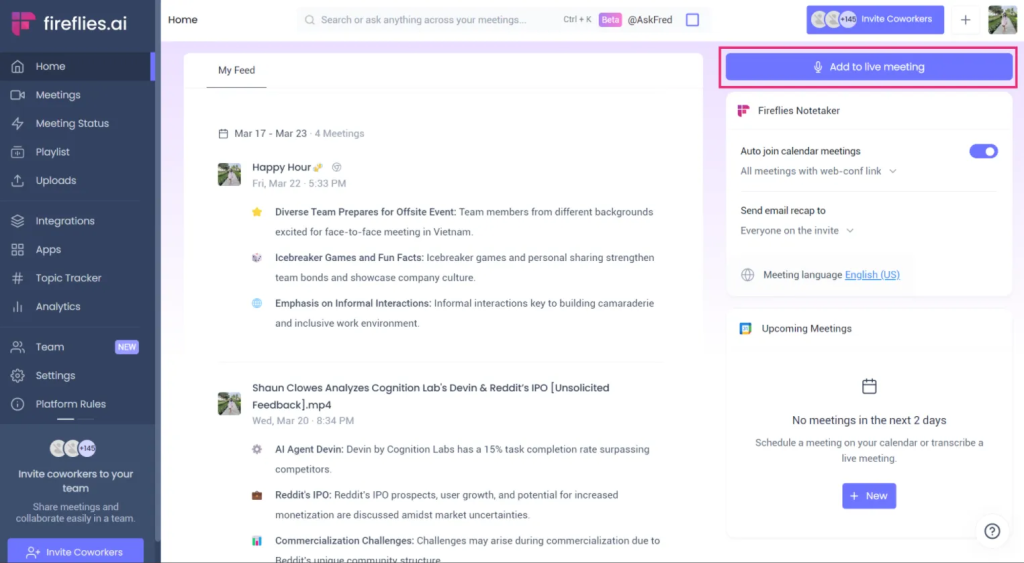
Fireflies.ai is a popular meeting recorder and transcription service that automatically joins, records, and transcribes calls across Zoom, Google Meet, Microsoft Teams, and most dialers. It supports 40+ languages and dialects, offers generous free storage, and is priced attractively for SMBs and mid-market teams. Collaboration is built-in, with live editing, comments, and accurate AI summaries that make recaps easy to share.
Key features
- Cross-platform capture and transcription for Zoom, Google Meet, Microsoft Teams, and more
- AI summaries, sentiment analysis, smart search, and topic tracking
- Collaborative transcription with comments, reactions, and edit-in-place
- AskFred AI assistant to query conversations and surface answers fast
- 40+ languages and dialects with click-to-playback from any transcript section
Pros
- Broad coverage across meeting platforms and dialers
- Strong, accurate AI summaries and language support
- Affordable pricing with generous free and scalable paid tiers
- Deep integrations and AI-driven search for faster follow-ups and knowledge reuse
4. Otter.ai –Best for Fast Action Item Discovery
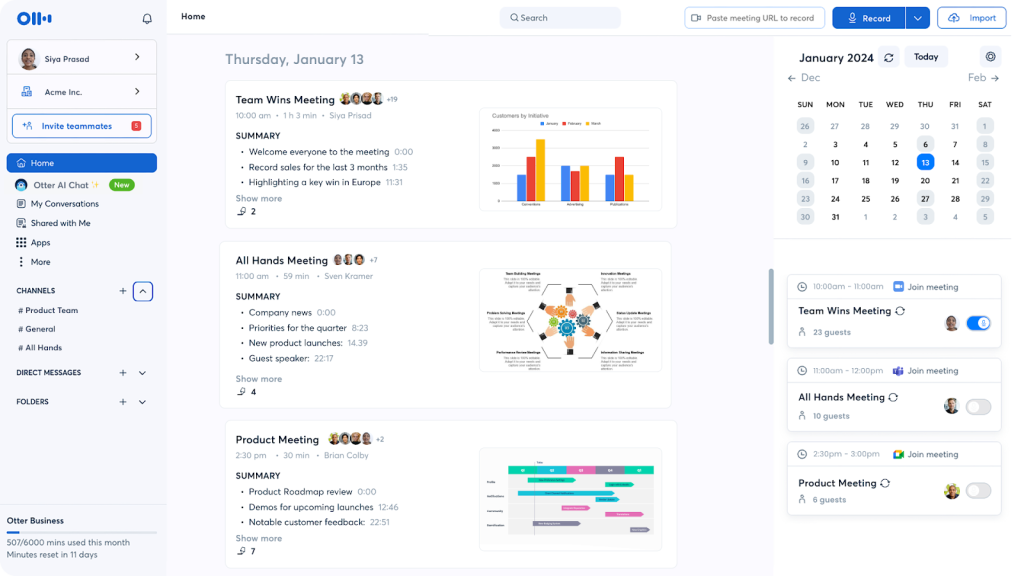
Otter.ai is a live-transcription powerhouse that captures meetings and interviews in real time and lets you query the conversation on the fly with Otter AI Chat. You can ask questions like “What were my action items?” or “Summarize the budget decision,” and get answers pulled straight from the transcript. It supports multi-user workspaces, live captions during video calls, and uploads of pre-recorded audio or video for transcription. Widely used by journalists, media teams, universities, and business users, Otter remains a major player for fast, accurate transcription.
Key features
- Real-time transcription with readable, time-stamped text
- Otter AI Chat to ask questions and extract action items during the meeting
- Live captions for accessibility on video calls
- Upload pre-recorded audio/video for transcription
- Add highlights, timestamps, and edits; share instantly with teammates
- Multi-user accounts and collaboration on transcripts
Pros
- High-quality live transcription that’s easy to follow
- Interactive AI chat makes finding decisions and tasks fast
- Simple sharing and collaboration to reduce post-meeting admin
- Great fit for interviews, lectures, and meeting recaps across teams
5. tl;dv – Best For Research Highlights
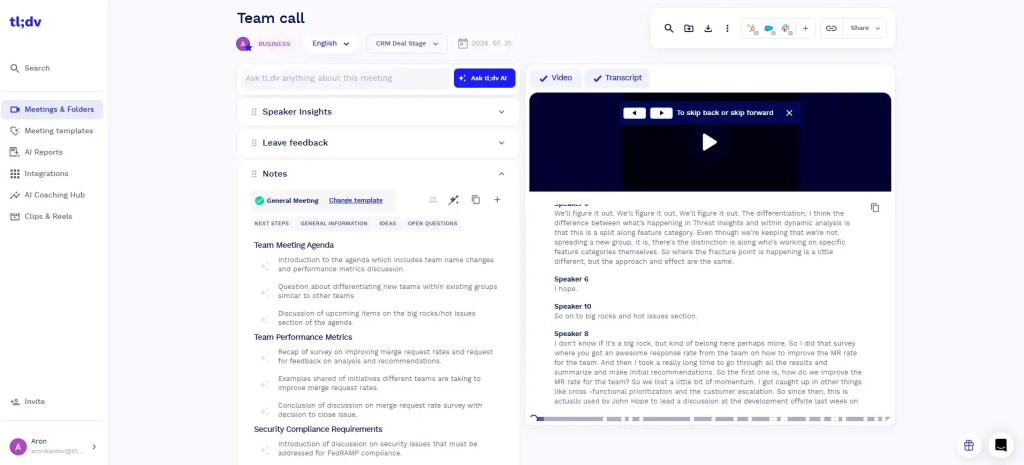
tl;dv is a researcher-first meeting recorder that captures calls, transcribes them, and makes it effortless to tag, clip, and share insights across your team. It shines for user interviews, product discovery sessions, and collaborative workshops where highlights matter more than long-form notes. The platform supports Zoom, Google Meet, and Microsoft Teams with multilingual transcription to keep global teams in sync.
Key features
- Live recording and transcription across Zoom, Google Meet, and Microsoft Teams
- Support for 30+ languages with timestamped highlights and tags
- AI-generated highlights and key takeaways for fast recap
- Team libraries to organize interviews and research clips
- One-click sharing of clips and moments for async collaboration
Pros
- Intuitive tagging, clipping, and highlight workflows tailor-made for research teams
- Unlimited recordings and transcripts on the free plan to scale discovery work
- Strong multilingual support for global research and CS activities
- Easy collaboration and async follow-ups with shareable clips and transcripts
6. Read.ai –Best For Sentiment & Coaching
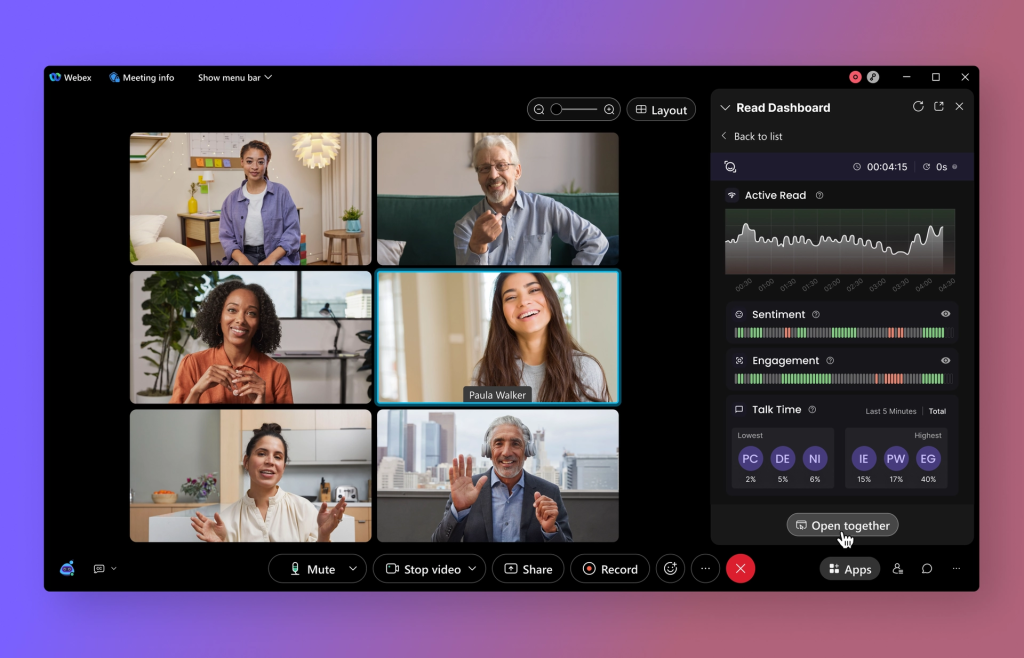
Read.ai is an analytics-forward meeting assistant that transcribes calls while measuring engagement, sentiment, and speaker performance in real time. Its Transcription 2.0 layer adds AI summaries, action items, and coaching cues so teams can multitask without losing the plot. Read.ai is especially strong for team reviews where participation, tone, and talk-time trends matter as much as the transcript.
Key features
- Engagement analytics, sentiment scoring, and speaker performance insights
- Personal coaching tips based on pacing, filler words, and participation
- Search Copilot to query meetings, emails, and documents in natural language
- Accurate translation, notably Spanish-English, for bilingual workflows
- Recognizable in-meeting branding so attendees know what’s recording
- Fast, simple setup across common conferencing platforms
Pros
- Multitask safely with clear summaries, action items, and speaker details
- Quick onboarding and intuitive experience for non-technical users
- Clean, recognizable presence in meetings reduces attendee confusion
- Engagement and coaching insights help drive better meeting hygiene and follow-through
7. MeetGeek –Best For Team Meeting Hygiene
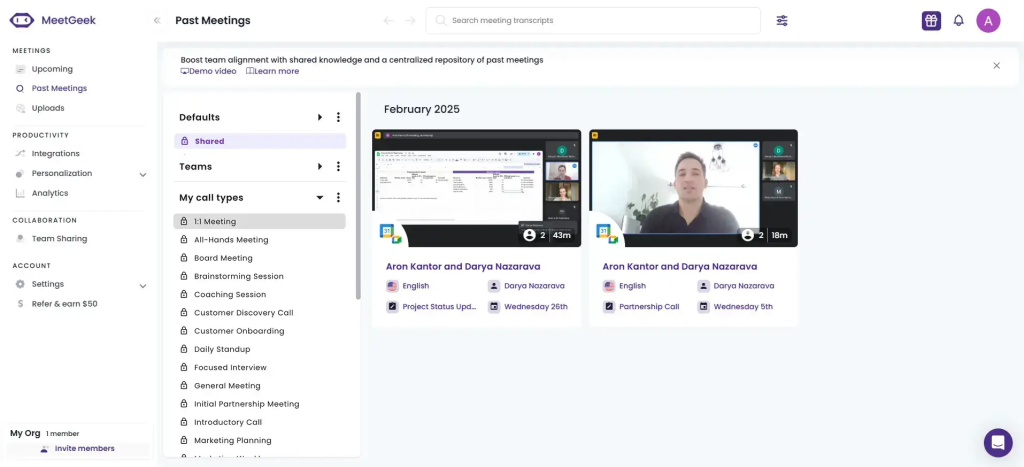
MeetGeek is a structured AI meeting assistant that records, transcribes, and summarizes online meetings and uploaded audio/video with minimal setup. It supports dozens of languages across Zoom, Microsoft Teams, and Google Meet, and is known for strong AI summaries and practical insights. You can use templates, folders, and timestamped clips to capture decisions and action items without a long learning curve.
Key features
- Multilingual transcription (20+ languages) with support for pre-recorded files
- AI summaries, action items, and highlights with timestamped video playback
- Advanced analytics including sentiment and performance metrics
- Custom templates and organized folders for repeatable meeting structures
- 2,000+ integrations, including HubSpot, Slack, Google Calendar, and more
Pros
- Fast setup with strong, accurate AI summaries and insights
- Deep integrations that fit neatly into CRM, calendar, and collaboration stacks
- Generous access to advanced features on lower tiers, reducing ramp time
- Suitable for a wide range of meeting types, from 1-on-1s to sales and team reviews
8. Supernormal –Best For Collaborative Workflows
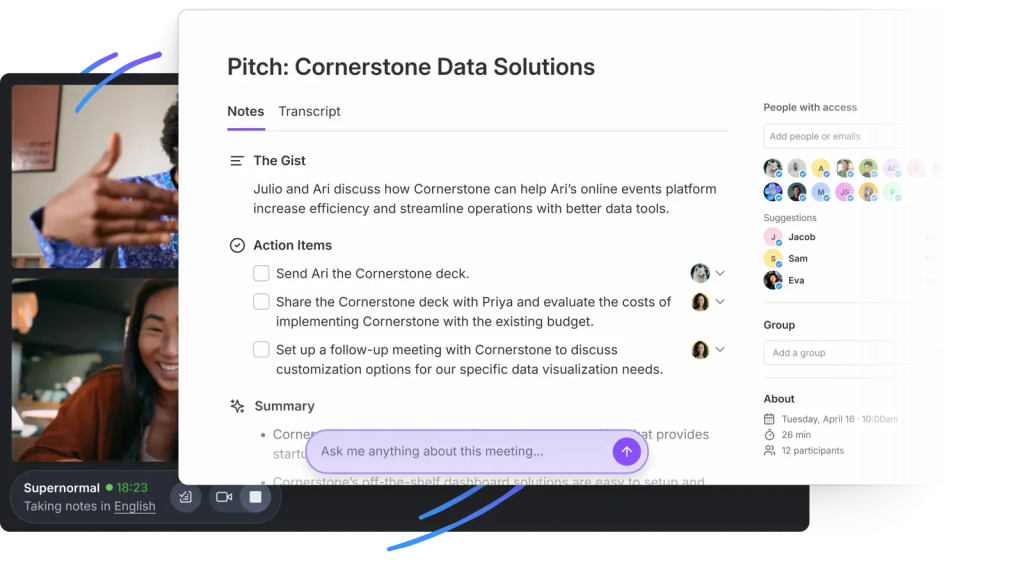
Supernormal is a meeting assistant built for teams that need fast, structured documentation from Zoom and Google Meet. It excels at turning discussions into decision-focused notes with real-time summaries, clear action items, and follow-ups. Templates keep every recap consistent so teammates can act immediately without extra formatting.
Key features
- Real-time summaries with agendas, detailed recaps, and action items
- Template-based note generation for consistent, decision-focused docs
- Automated action item extraction and assignment to owners
- Decision tracking and outcome documentation for accountability
- Integrations with Google Docs, Slack, Notion, and more for seamless sharing
Pros
- Highly structured, standardized meeting documentation that drives action
- Quick, in-meeting summaries keep participants aligned in real time
- Great choice for remote teams that run frequent video calls and need reliable, organized notes
Conclusion
With AI note-taking becoming a default part of modern meetings, teams now have more options than ever beyond Fathom. While Fathom works well for quick personal summaries, many 2025 workflows require stronger collaboration, clearer sharing, and better follow-through across the team.
FuseBase stands out as an alternative when meeting outcomes need to live in a structured workspace rather than a standalone recap. By organizing each call into a reusable room with notes, decisions, next steps, and supporting materials, it fits teams that treat meetings as part of a broader delivery process.
The best approach is to map your requirements first– how you share recaps, how you track action items, and where follow-ups should land– then test a few tools against real meetings.