

AI meeting assistants have evolved from simple transcription tools into full workflow companions – capturing conversations, summarizing key points, extracting tasks, and pushing updates to the apps you already use. If you’re searching for Jamie AI alternatives, you’re likely looking for a better mix of accuracy, automation, privacy, or value.
This roundup highlights the top picks among the best AI meeting assistants, breaking down what each tool does best – whether that’s lightning-fast summaries, speaker recognition, searchable knowledge bases, coaching insights, or enterprise-grade security. Use this list to quickly shortlist the right assistant for your meeting style and stack.
Quick Summary
- FuseBase – Bot-free recorder that turns every call into a branded mini-room with recap, files, next steps, and AI agents that trigger real follow-ups.
- Fathom – Zoom-first recorder with unlimited free individual plan, fast highlights, and CRM note sync.
- Fireflies.ai – Cross-platform recording, top-tier AI summaries, smart search, and strong integrations.
- Supernormal – Structured, template-driven notes with action items pushed into your tool stack.
- tl;dv – Research-friendly tagging, highlights, and libraries across Zoom, Meet, and Teams.
- Grain – Live notepad, fast highlights, and CRM auto-sync for quick insight sharing.
- MeetGeek – Detailed summaries, 100+ KPIs, 7,000+ integrations, and mixed-language recognition.
- Otter.ai – Transcription-first with real-time captions, summaries, slide capture, and searchable archives.
- Fellow – Calendar-first agendas and real-time notes with AI summaries before, during, and after meetings.
What is Jamie?
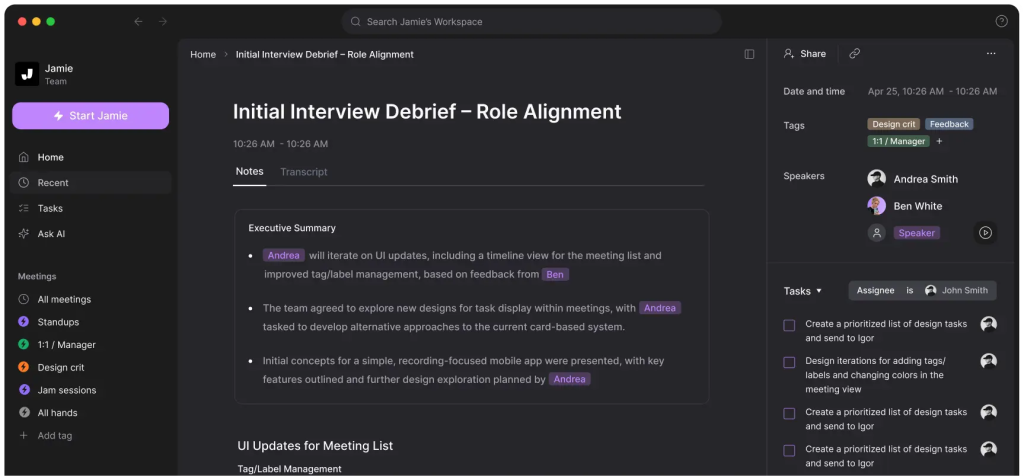
Jamie is an AI-powered tool that helps you turn meeting conversations into usable outputs – like summaries, key takeaways, and next steps. Instead of digging through recordings or messy notes, users rely on Jamie to generate a clear recap they can share or store. For many users, the main appeal is turning every meeting into a searchable record they can revisit in seconds. It’s commonly used by professionals who want a lightweight way to document calls, remember decisions, and keep track of action items – making it a popular reference point when comparing AI meeting assistants.
Features to Look For in Jamie Alternatives
When comparing Jamie Alternatives, it helps to focus on the features that actually reduce post-meeting work. The best AI meeting assistants turn conversation into structured, shareable outputs and fit smoothly into the tools you already use.
- Summary quality (not just transcription). Look for clean, readable summaries with sections like key takeaways, decisions, risks, and next steps. Bonus points for customizable templates (sales calls vs. standups vs. 1:1s).
- Accurate action items and ownership. A strong alternative should reliably detect tasks, assign owners, and capture deadlines. Even better if it can export tasks directly to your task manager.
- Client-ready and internal-only split. Choose a tool that has a clean external recap with decisions and next steps + separate internal coaching, risks, and tasks that never reach the client.
- Integrations that match your stack. Prioritize native integrations with your calendar and meeting platforms (Google Calendar/Outlook, Zoom/Meet/Teams) plus where notes “live” (Notion, Google Docs, Confluence) and where work happens.
- Search, knowledge base, and organization. The ability to search across meetings, topics, and decisions is a big differentiator. Some tools also create a meeting library or knowledge hub so insights don’t get lost.
- Collaboration and sharing controls. Check for shared workspaces, team folders, granular permissions, and easy sharing links, especially if multiple people need access without friction.
- Privacy, security, and compliance options. For sensitive conversations, look for data retention settings, encryption, admin controls, SSO, and clear policies on whether recordings or transcripts are used to train models.
- Reliability and meeting coverage. Confirm it works for your meeting type: live assistant vs. upload recordings, in-person audio, screen-share heavy calls, and noisy environments.
Top 9 Jamie AI Alternatives
1. FuseBase

FuseBase is a bot-free AI meeting recorder and workspace that turns every Zoom, Teams, or Meet call into a branded mini-room with recap, files, and next steps – not a naked transcript link. Each meeting becomes a lightweight deal/client room on your domain, with consistent white-label UX across discovery, QBRs, and onboarding. AI agents watch calls for real business signals (no next meeting, budget gaps, scope creep, renewal risk), then auto-create tasks, populate trackers, trigger follow-ups, and even schedule save-the-deal meetings. Insights roll up into dashboards so leaders see “calls with no next step” and “accounts with rising risk” at a glance.
Best use cases:
- Client-facing calls that need a shareable recap and a private internal risk/coach layer
- Persistent deal and delivery rooms replacing scattered links and docs
- Renewal protection: detect stalls, scope creep, and trigger save-the-deal actions
- Services and mid-market teams turning call outputs into tasks, trackers, and workflows
- Branded stakeholder updates via client portals instead of transcript pages
- Cross-call analytics for leaders: missing next steps, risk trends, and utilization signals
2. Fathom
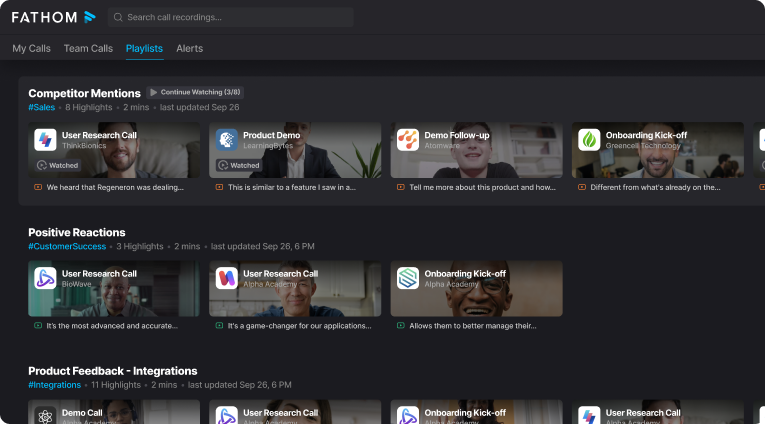
Fathom is a meeting assistant and transcription tool that records, transcribes, highlights, and summarizes live meetings with a generous free plan for individuals (unlimited recordings and storage). It’s Zoom-first, with support for Google Meet and Microsoft Teams via integrations, and can auto-generate notes that sync back to relevant CRM sections. Customer-facing teams use Fathom to share clips and transparent recaps so clients can revisit key moments without scrubbing full recordings.
Best use cases
- Solo operators and small teams needing unlimited free capture and quick highlights
- Customer success and account managers who share client-ready clips to boost clarity and trust
- Zoom-centric orgs that want live transcription, timecodes, and smart summaries
- Teams that need automatic CRM note sync tied to the right account/opportunity
- Lightweight knowledge hubs where searchable transcripts speed review and handoffs
3. Fireflies.ai
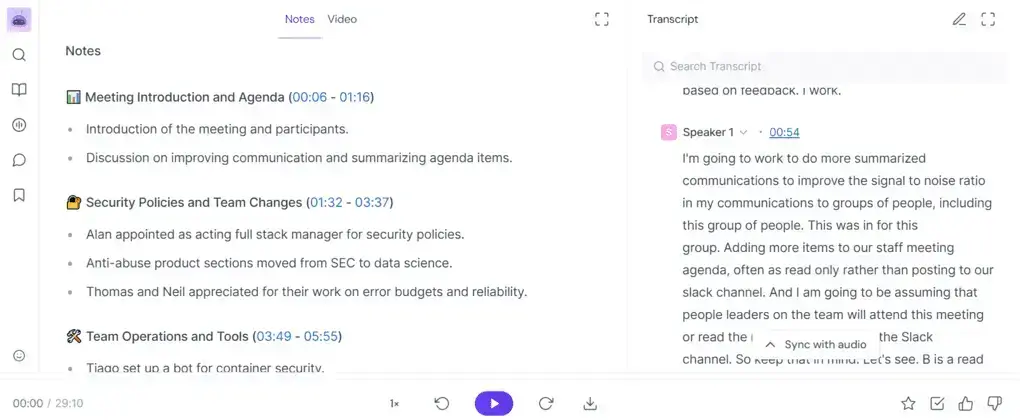
Fireflies.ai is a proven AI notetaker and meeting organizer used by brands like Netflix, Uber, and Nike. It records, transcribes, and generates top-tier AI summaries across Zoom, Google Meet, and Microsoft Teams, then turns meetings into a searchable knowledge hub. With smart search, topic tracking, and the AskFred assistant, teams can review a 60-minute call in minutes, collaborate inside transcripts, and integrate outcomes via native connectors, Zapier, or API.
Best use cases
- Building a searchable, centralized library of meeting recordings and notes
- Fast post-call review of long meetings using smart search and highlights
- Cross-platform capture for distributed teams (Zoom, Meet, Teams)
- Q&A over recordings with AskFred to surface details instantly
- Budget-friendly rollout with generous storage and solid summaries
4. Supernormal
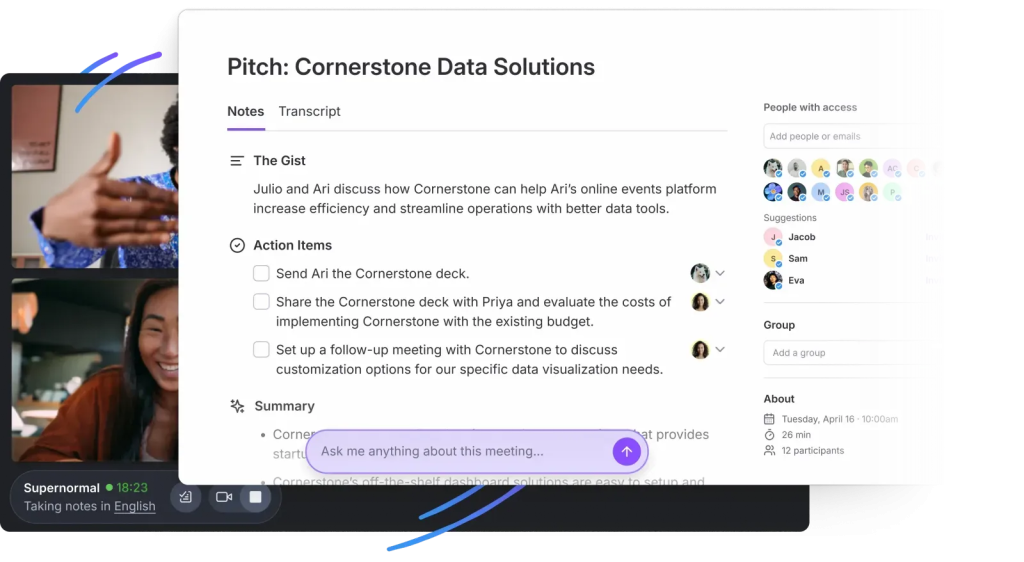
Supernormal is built for structured, shareable meeting documentation. It delivers real-time agendas, in-meeting summaries, and action items, then pushes them directly into your workflow tools. With customizable templates, 60+ language support, and deep integrations (Salesforce, HubSpot, Notion, Asana, Trello, Google Docs, Slack), teams running frequent remote calls get clean, consistent notes that mirror their process and keep follow-ups from slipping.
Best use cases
- Standardized, template-driven notes for recurring meetings (standups, QBRs, project reviews)
- Automatic action item capture and assignment into your task/CRM stack
- Sales and client-facing calls that require fast, polished recaps shared across tools
- Remote, cross-functional teams needing consistent summaries across Zoom/Meet
- Multilingual teams capturing and sharing notes in 60+ languages
5. tl;dv
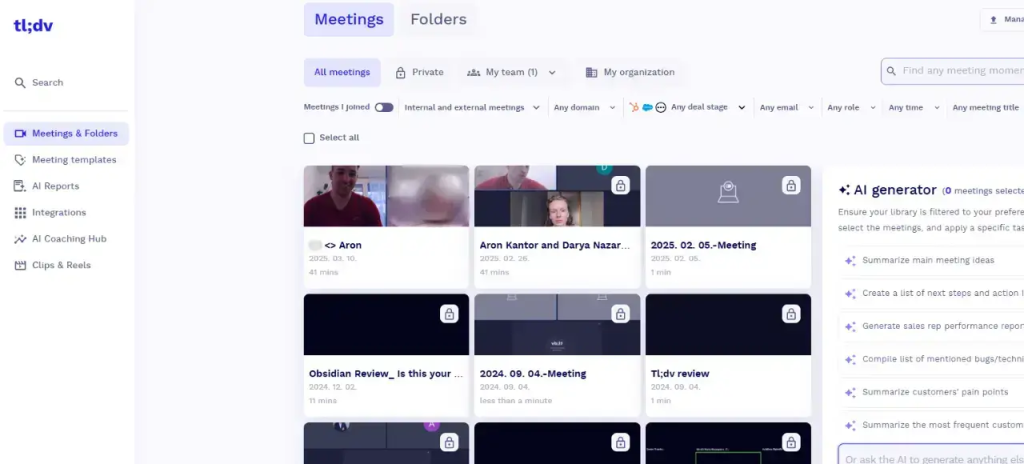
tl;dv is a researcher-friendly, cross-platform meeting recorder for Google Meet, Microsoft Teams, and Zoom that delivers real-time transcription, AI summaries, and timestamped highlights across 30+ languages. A bot joins your calls, captures discussions with high precision, and turns them into shareable insights. Product and research teams use tl;dv to tag key moments, analyze themes, and build team libraries so interviews, workshops, and discovery sessions translate into actionable next steps.
Best use cases
- User interviews and UX research with fast tagging and timestamped highlights
- Product discovery and roadmap workshops where themes need to be captured and compared
- Cross-functional teams running interviews across Zoom, Meet, and Teams
- Multilingual research programs requiring 30+ language support
- Insight repositories and clip libraries for training, onboarding, and decision reviews
6. Grain
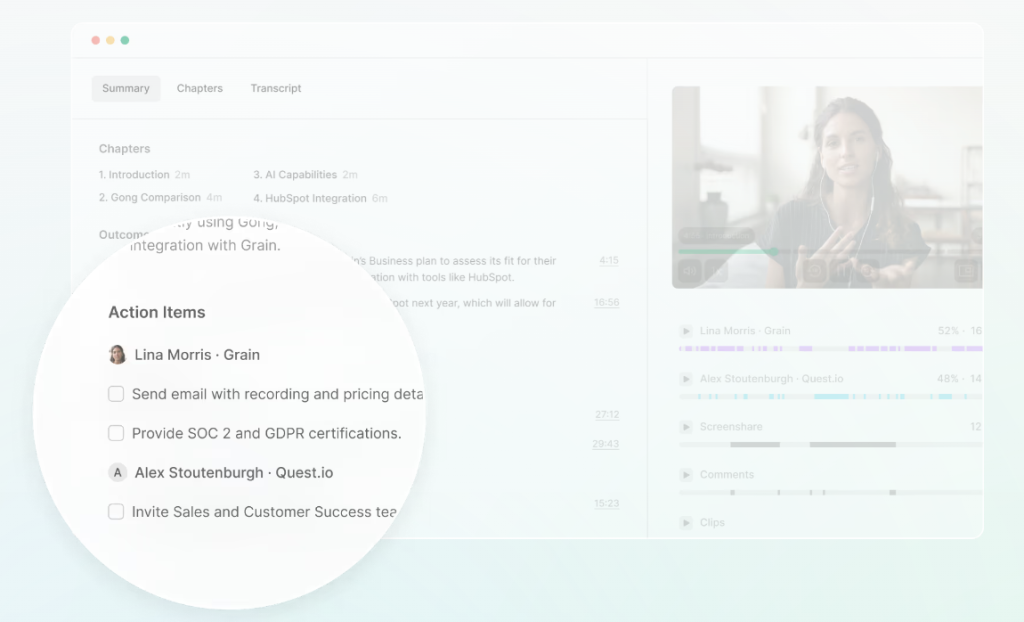
Grain is a conversation intelligence and AI meeting assistant that automates note-taking, CRM data entry, and follow-up emails while giving teams fast highlights and simple collaboration. With live notepad, time-stamped comments, reels, and playlists, you can tag key moments on the fly and curate clips for onboarding or reviews. Deal analytics surface pipeline status, activity, and keywords, and automatic CRM sync pushes notes, tasks, and activities to records without copy-paste. Best for teams that value quick insight capture and highlight sharing over heavy coaching features.
Best use cases
- Create reels and playlists to onboard reps and align stakeholders
- Live call capture – take notes, tag moments, and clip segments in real time with Live Notepad
- Lightweight conversation insights – track talk time, speed, and filler words for coaching lite
- Deal tracking – monitor keywords, activity, and status to keep pipeline reviews tight
- HubSpot-centric teams – lean stack where HubSpot and Google Calendar integrations cover the workflow
- Content repurposing to pull key moments from customer calls for product, marketing, or CS enablement
7. MeetGeek
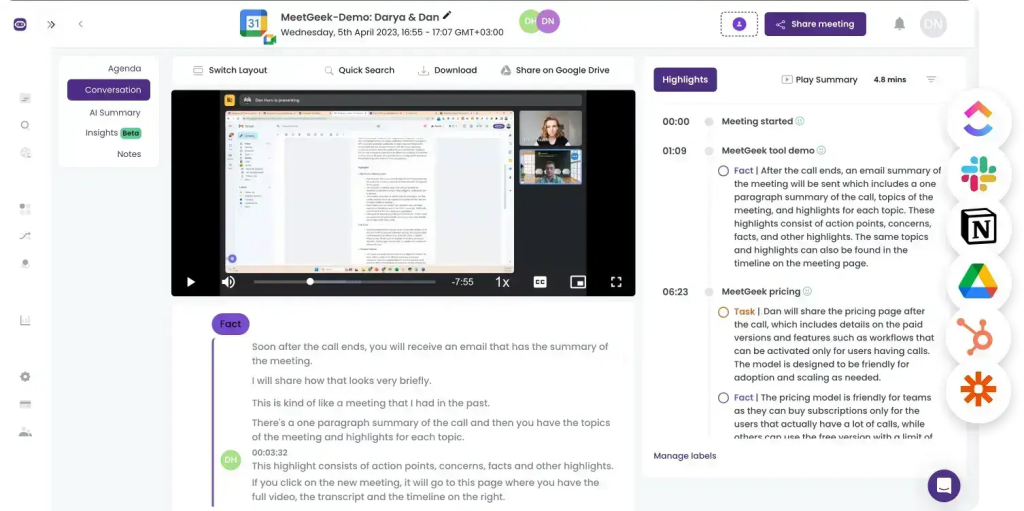
MeetGeek is an accuracy-first AI meeting assistant that automates transcription, thorough summaries, and advanced analytics while fitting cleanly into existing workflows. It builds a searchable library, surfaces conversation intelligence (engagement, speaker distribution, 100+ KPIs), and connects to 7,000+ apps for automated follow-ups. With support for 20+ languages and mixed-language recognition in a single call, plus GDPR-grade security, MeetGeek suits global teams that want insights, collaboration, and automation without heavy setup.
Best use cases
- Multilingual and mixed-language meetings where automatic recognition and distribution matter
- Analytics-driven coaching lite using engagement metrics, speaker balance, and trend KPIs
- Team knowledge hubs with searchable history, smart highlights, and speaker labeling
- Structured sessions (standups, reviews, QBRs) powered by customizable templates
- Global or cross-functional teams needing GDPR compliance and broad integrations
8. Otter.ai
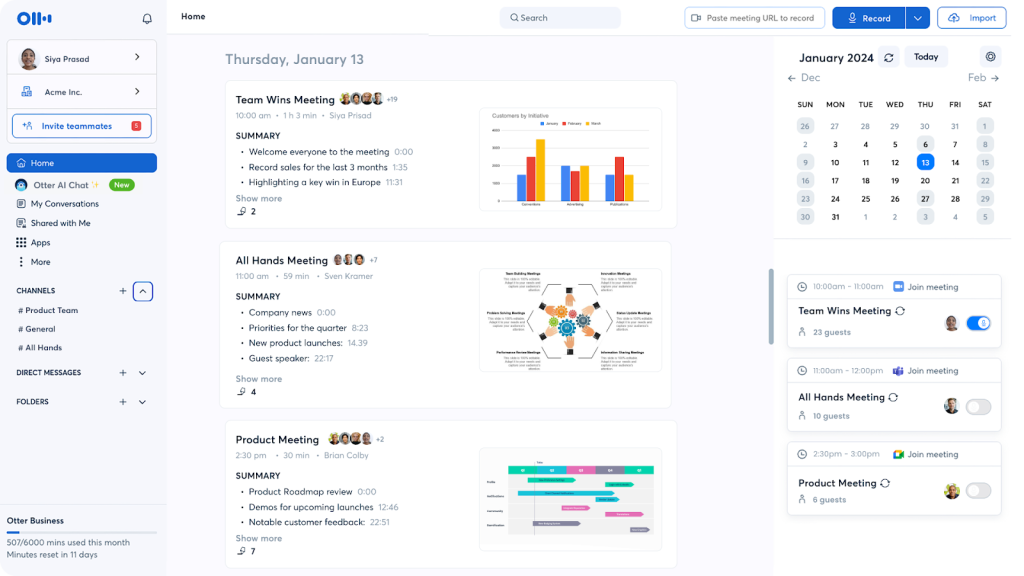
Otter.ai is a transcription-first meeting assistant that records audio and generates real-time transcripts with speaker IDs, timestamps, highlights, and automated summaries across Zoom, Google Meet, and Microsoft Teams. Teams can collaborate directly in the transcript, capture slides for added context, and search a cross-device archive to find key moments quickly. Popular with journalists, media teams, and universities, Otter emphasizes fast, shareable documentation in English, French, and Spanish.
Best use cases
- Journalism, academia, and research interviews that need fast, accurate transcripts
- Teams that want real-time captions, timestamps, and speaker identification
- Simple documentation and recap workflows without heavy CRM or analytics needs
- Meetings with slide-rich context where auto slide capture helps post-call review
- Cross-device access and searchable archives for quick retrieval of quotes and decisions
9. Fellow
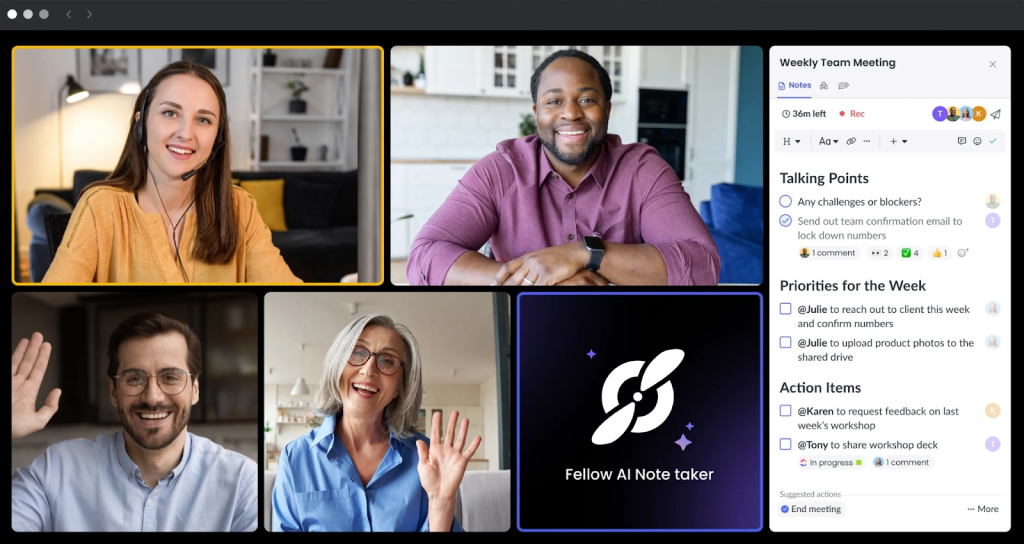
Fellow is a calendar-driven meeting assistant that plugs directly into Google and Microsoft calendars to activate real-time notes the moment a meeting starts. It blends collaborative agendas, notetaking, and AI summarization in one workspace, with pre-meeting briefs, tailored talking points, and agenda suggestions to keep everyone aligned before, during, and after calls. Notes tie to recurring meetings or projects, support 10 languages, and integrate with tools like Zoom, Slack, Asana, and Jira.
Best use cases
- Managers and leaders running back-to-back meetings who want real-time note activation from the calendar
- Recurring 1:1s, team standups, project reviews, and QBRs standardized with shared templates
- Pre-meeting preparation with briefs and AI-generated talking points
- Cross-functional alignment with collaborative agendas and action tracking
- Teams seeking light analytics on meeting trends (time spent, 1:1 coverage) without heavy CI needs
Conclusion
There is no single “best” Jamie alternative – it depends on the job you need done. If your priority is fast capture and clean recaps at a lower cost, Fireflies, Fathom, tl;dv, MeetGeek, Supernormal, Grain, Otter, and Fellow all deliver solid notes and light automation.
But if you run client-facing work and need every call to become a branded, client-ready recap plus a private layer of risks, tasks, and CRM-updated workflows – FuseBase is the strongest fit. It replaces naked transcript links with mini-rooms on your domain and uses AI agents to enforce next steps, flag renewal risks, and even schedule save-the-deal follow ups. That is how you reduce churn, protect margin, and move revenue faster.