


In 2026, meeting tools aren’t just about taking notes – they’re becoming a real part of the operating system teams run on. The expectation now is bigger: AI help before, during, and after meetings, automated summaries that actually capture decisions, searchable knowledge you can reuse later, and collaboration that flows naturally across docs, tasks, and chat. If Fellow doesn’t fully match how your team plans, collaborates, and executes, it may be time to explore a more modern stack.
This guide rounds up the best Fellow alternatives built for smarter workflow and collaboration, from lightweight tools for quick check-ins and 1:1s to more robust platforms designed for structured planning, cross-functional initiatives, and multi-team operations. By the end, you’ll have a clear view of what each tool does best, which types of teams it fits, and how to choose the right alternative based on your workflows – not just your meetings.
TL;DR – 10 Best Fellow.app Alternatives
- FuseBase – Best for turning meeting outcomes into shared client/project workspaces.
- Avoma – Best for AI meeting notes plus deeper conversation insights and analytics.
- Fireflies.ai – Best for searchable AI meeting transcripts, topics, and team-wide knowledge.
- tl;dv – Best for quick recording, highlights, and sharing meeting moments across teams.
- Otter.ai – Best for real-time transcription and AI summaries you can query later.
- Fathom – Best lightweight AI note-taker for fast summaries and easy sharing.
- Granola – Best for blending your own notes with AI-structured summaries and actions.
- Read.ai – Best for meeting summaries plus engagement insights and productivity signals.
- Supernormal – Best for simple, automated meeting notes with minimal setup
- Gong – Best for revenue teams needing coaching, deal intelligence, and conversation tracking.
What is Fellow.app?
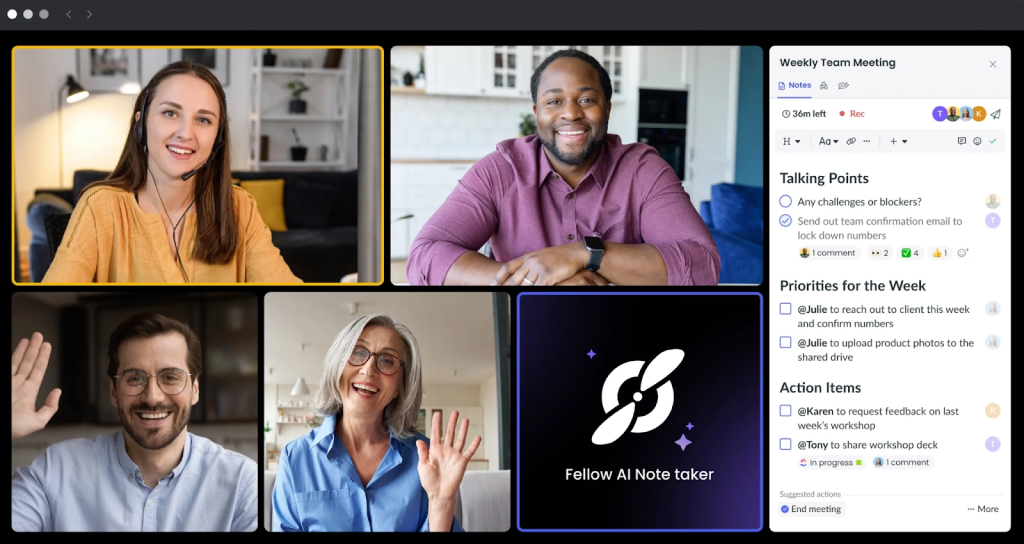
Fellow.app is a meeting management platform designed to help teams run more effective meetings and follow through afterward. It brings key meeting workflows – like shared agendas, collaborative note-taking, and action items – into one place so everyone stays aligned before, during, and after a meeting.
Teams commonly use Fellow for recurring meetings such as 1:1s, team syncs, and project check-ins. You can create agenda templates, assign talking points, capture decisions, and turn notes into tasks with clear owners and due dates. Many organizations also rely on Fellow to standardize meeting habits across teams and keep meeting outcomes searchable, organized, and easy to revisit later.
In 2026, tools like Fellow increasingly sit at the center of collaboration – connecting meeting notes to broader workflows across tasks, documentation, and team communication. That’s why choosing the right alternative often comes down to which platform best matches how your team plans work, shares knowledge, and tracks execution.
What to Look For in Fellow.app Alternatives?
When comparing Fellow.app alternatives in 2026, focus on the features that actually improve execution – not just note-taking. Here are the key things to evaluate:
- Agenda + meeting structure: Shared agendas, reusable templates, recurring meeting series, timeboxing, and clear facilitation features.
- Action items that don’t get lost: Easy task creation from notes, owners + due dates, reminders, and the ability to track open items across meetings.
- AI that’s useful (not gimmicky): Accurate summaries, decision/action extraction, searchable meeting history, and the ability to find answers across past meetings.
- Searchable knowledge + documentation: Strong search, tagging, meeting history, decision logs, and a way to connect meeting outcomes to docs/projects.
- Collaboration and accountability: Real-time editing, comments/mentions, clear ownership, permissions, and visibility controls for sensitive meetings (like 1:1s).
- Workflow fit for your team size: Some tools are best for managers and 1:1s, others for cross-functional programs, and others for fully end-to-end project execution.
- Security, compliance, and admin controls: SSO/SAML, SOC 2/ISO support, role-based access, data retention controls, audit logs, and workspace management.
- Ease of adoption: Clean UX, quick onboarding, templates that help teams start fast, and minimal friction to use it in real meetings.
Top 10 Fellow Alternatives
1. FuseBase
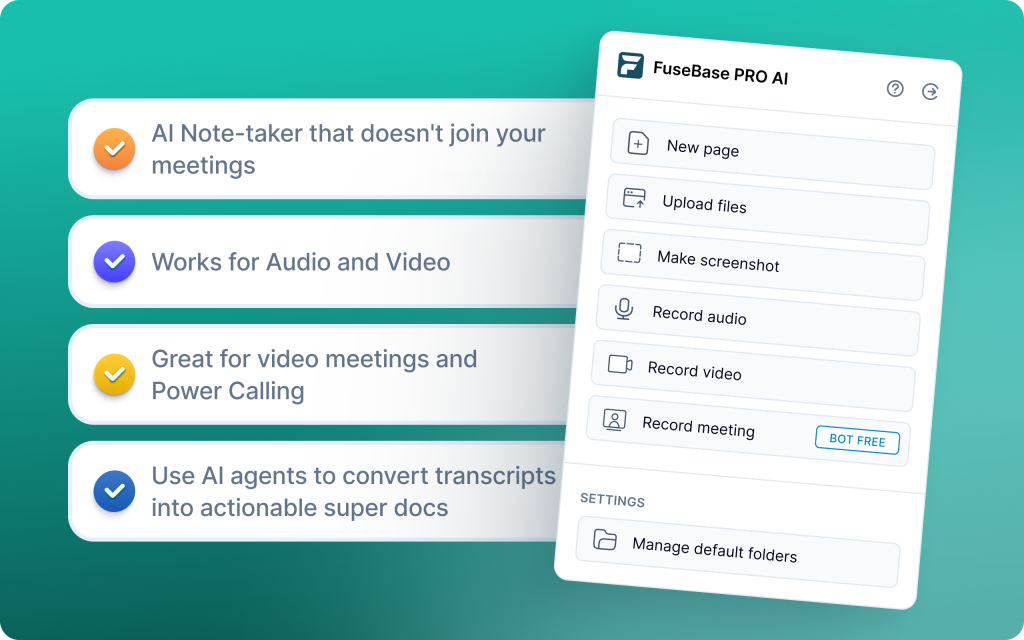
FuseBase is a strong Fellow alternative if your team wants meetings to connect directly to client work, shared documentation, and ongoing collaboration in one workspace. Instead of treating meeting notes as a standalone artifact, FuseBase is designed to organize conversations, files, tasks, and updates inside structured hubs – so decisions and next steps stay tied to the work they impact. Advanced AI Agents separate what clients see from internal coaching notes, detect scope creep and unbilled requests, and will automatically schedule a save-the-deal meeting to keep momentum and protect margins.
Best for:
Professional services, agencies, and B2B SaaS CS/sales teams that need client-ready outputs and real follow-through – not just meeting hygiene.
Key features:
- Client Portal & Deal Room: Branded, shareable recaps and next steps for external stakeholders.
- Internal vs external split: AI-gated risks, coaching notes, and sensitive insights stay internal.
- Agents that flag out-of-scope asks and unbilled work to protect margins.
- From transcript to workflow: Auto-create tasks, trackers, and follow-ups tied to delivery.
- Auto-schedule save-the-deal meetings when risk patterns spike.
- Project delivery intelligence: Meeting signals feed delivery boards and account health views.
- Databases, automations, and AI Agents scale from team to org-wide.
2. Avoma
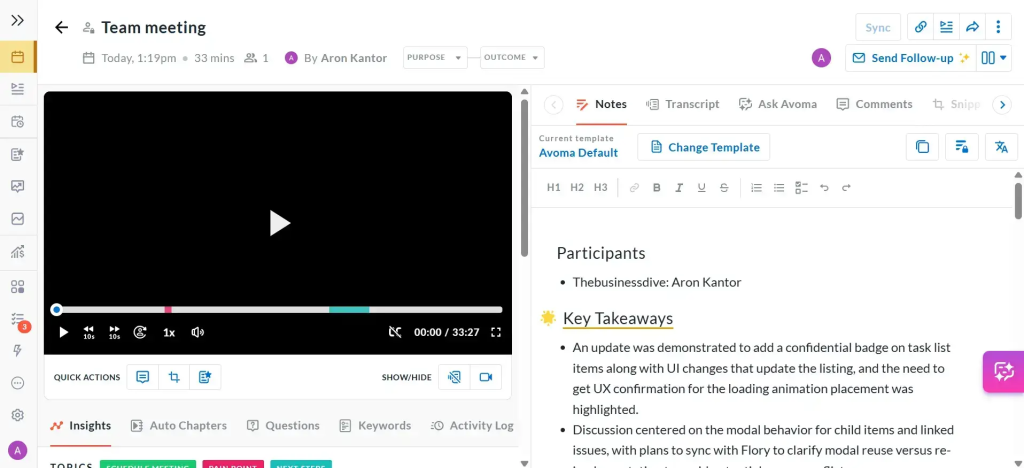
Avoma is an AI meeting assistant with light revenue intelligence that automates the full meeting lifecycle for cross-functional teams. It captures and summarizes calls, links agendas to transcripts, identifies action items, and syncs updates to your CRM so sales, success, and product stay aligned. It delivers strong hybrid value with centralized insights, basic pipeline risk signals, and fast follow-through.
Best for:
Sales, CS, and product teams that want automated capture, AI notes, and CRM syncing without the complexity of heavy CI platforms.
Key features:
- Unified agenda-to-transcript view to see what was planned vs discussed
- AI notes with action items and follow-ups, ready for handoffs
- Cross-functional collaboration via comments, highlights, and shared snippets
- Real-time transcription in 40+ languages with chaptered conversations
- Meeting trend analytics across internal and external calls
- Flexible sharing to Slack and internal docs for quick dissemination
3. Fireflies.ai
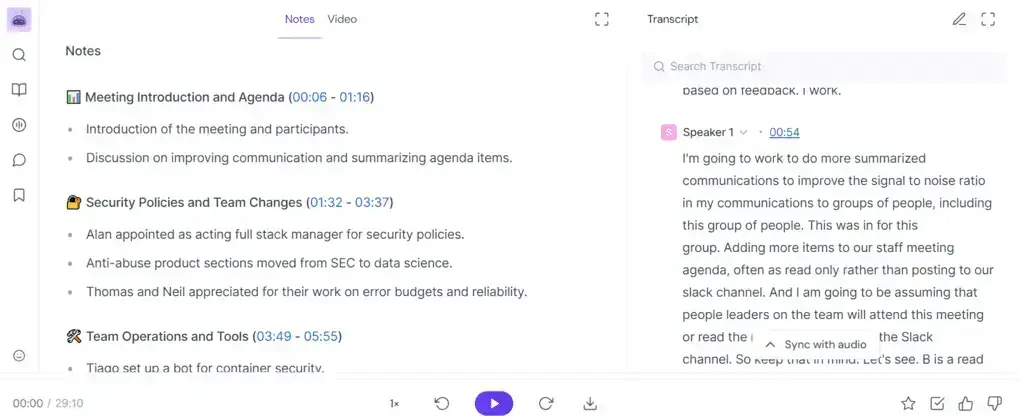
Fireflies is a simple, affordable AI notetaker that records and transcribes meetings across Zoom, Teams, and Meet, logs key points to CRMs, and offers basic analytics. It prioritizes quick, scalable documentation and searchable call history over deep coaching or forecasting, making it easy to roll out org-wide with minimal setup.
Best for:
Teams that need fast, low-friction note capture and searchable transcripts with light CRM syncing across multiple meeting platforms.
Key features:
- Platform-agnostic capture: Bot records and transcribes across major meeting tools; 60+ languages with speaker IDs
- AI summaries and templates: Auto-structured notes tailored to your meeting types
- Searchable call library: Tags, filters, highlights, and soundbites for rapid retrieval
- CRM and app integrations: Push summaries and action items to CRMs and project tools (paid plans)
- Comments, pins, bookmarks, and easy team sharing
- File uploads: Transcribe existing recordings; limited uploads on the free plan
4. tl;dv
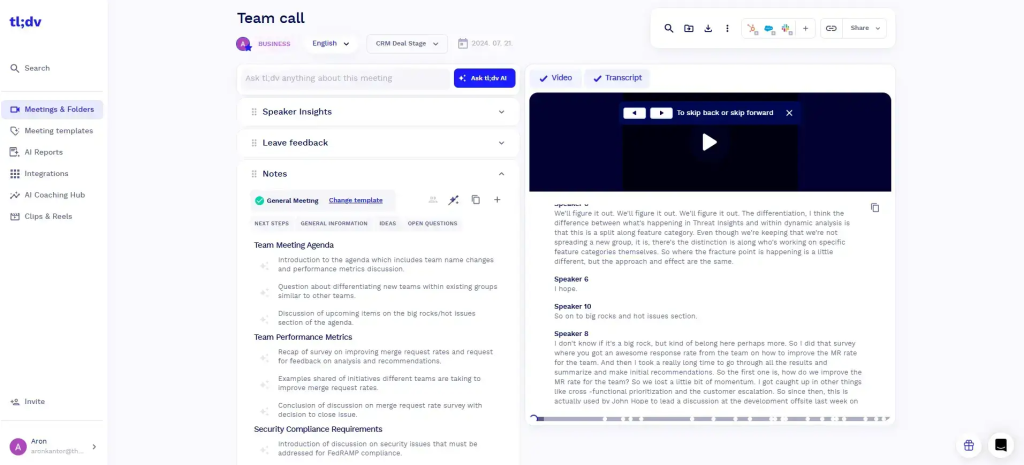
tl;dv is a GPT-powered recorder and transcription tool that’s built for speed. With a standout Chrome extension and tight Zoom/Meet integrations, it captures high-quality meetings, creates clear AI summaries with next steps, and lets you share clips in seconds. The free plan is unusually generous (unlimited recording and transcription), and paid plans add automations that push insights into your CRM, Slack, and docs so follow-ups happen without manual effort.
Best for:
Sales, CS, and remote-first teams that need fast recording, crisp AI summaries, and automated handoffs without heavy software.
Key features:
- High-quality recording with instant clip sharing for quick context
- Real-time transcription in 30+ languages for global teams
- AI-generated summaries with key points and next steps right after the call
- Chrome extension and Zoom/Google Meet integrations for frictionless capture
- CRM and workspace sync (Salesforce, HubSpot, Slack, Notion) to keep pipelines and notes current
- Workflow automation via Zapier to trigger tasks, updates, and follow-ups across your stack
5. Otter.ai
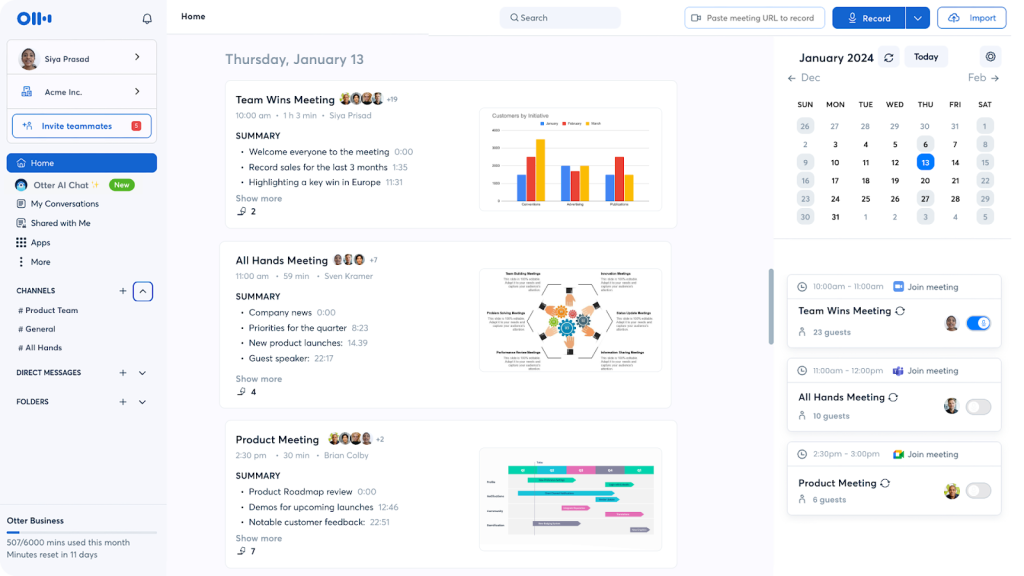
Otter.ai turns live conversations into searchable, shareable text so teams can focus on the discussion instead of typing notes. It transcribes meetings in real time on Zoom, Google Meet, and Microsoft Teams, generates concise summaries, and lets you highlight key moments on the fly. An AI chat helps answer questions about the meeting after the call, making follow-up faster without replaying recordings.
Best for:
Teams that want fast, accurate, English-first real-time transcription and searchable meeting records with simple summaries and collaboration.
Key features:
- Real-time transcription with high accuracy and speaker separation
- AI chat to query the meeting and extract answers post-call
- Auto summaries and highlight capture during or after meetings
- Searchable workspace with channels, comments, highlights, and basic task assignment
- File upload transcription for audio/video; limited imports on the free plan
- Mobile apps for on-the-go review and sharing
6. Fathom
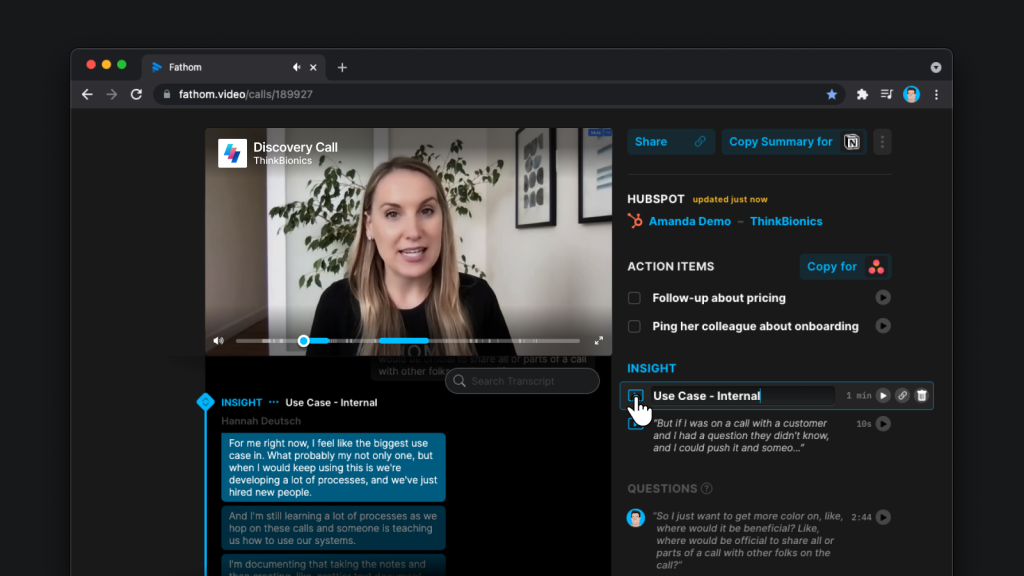
Fathom is a fast, lightweight meeting recorder that captures calls on Zoom, Google Meet, and Microsoft Teams, delivers real-time transcripts, and auto-generates clean summaries within seconds. It’s built for speed and organization: highlight key moments mid-call, sync structured notes to tools like Google Docs, Notion, Asana, and push takeaways to CRMs such as HubSpot or Salesforce to keep work moving without manual cleanup.
Best for:
Teams that want quick, reliable transcriptions and instant, shareable highlights with seamless handoffs into docs and CRMs.
Key features:
- Real-time transcription with instant post-call AI summaries
- Mid-call highlights that auto-summarize with one click
- Clip and share reels for rapid context without full replays
- Direct integrations with Google Docs, Notion, Asana for organized follow-through
- CRM syncing (HubSpot, Salesforce) to capture next steps and notes
- Clean, low-friction UI and a generous free plan for individuals
7. Granola
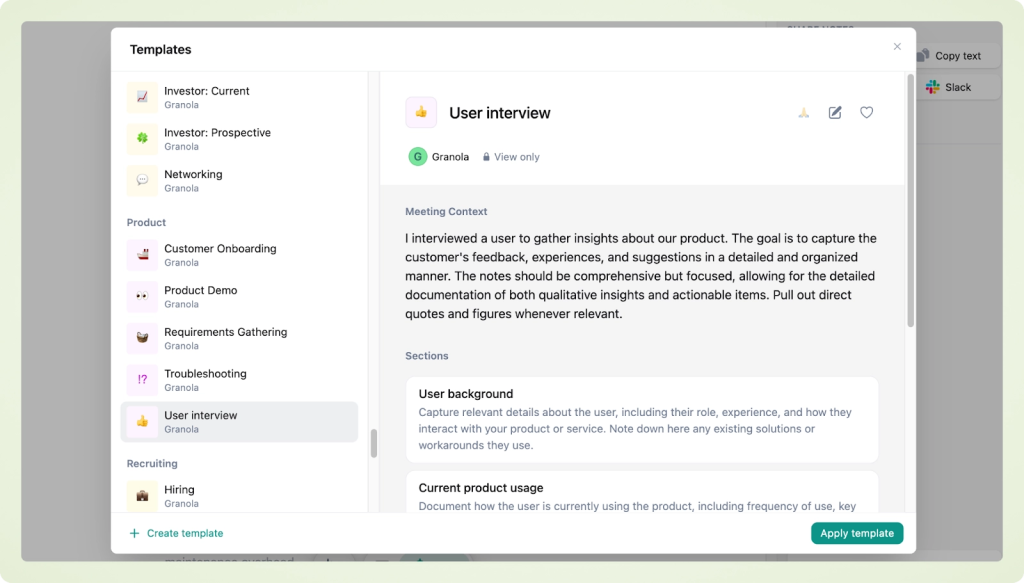
Granola is a lightweight, privacy-focused, bot-free AI notepad that runs quietly on your device, captures meeting audio, and enhances your own notes in real time. Instead of relying on full automated transcripts, it structures and summarizes what you type, adds missing context, and turns takeaways into shareable, actionable notes without bringing a bot into the call.
Best for:
Mac and Windows professionals who want fast, private, bot-free meeting notes with real-time AI enhancement and instant handoffs.
Key features:
- On-device capture with AI-enhanced, structured notes in real time
- Customizable templates for different meeting types
- AI chat to query meetings and extract action items or follow-ups
- Calendar integration to auto-contextualize notes
- Team folders for shared knowledge and lightweight collaboration
- Instant sharing of summaries and next steps across the team
8. Read.ai

Read.ai is an enterprise-focused meeting intelligence and analytics platform that records Zoom, Teams, and Google Meet, generates real-time summaries and sentiment, and unifies conversations across apps. With cross-team search and a robust meeting insights dashboard, it bridges silos, surfaces bottlenecks, and enables data-driven decisions at scale. Speaker Coach provides live feedback on talk-time and clarity, while Search Copilot pulls answers from transcripts, emails, and chats so leaders get context fast without manual digging.
Best for:
Large or cross-functional teams that need meeting insights, conversation tracking across apps, and analytics to improve collaboration at scale.
Key features:
- Cross-team search and Search Copilot across transcripts, emails, and chats
- Meeting insights dashboard with trends, bottlenecks, and engagement metrics
- Real-time summaries and sentiment during Zoom, Teams, and Meet
- AI Speaker Coach for talk-time, clarity, and behavior feedback
- Playback with AI-marked highlights for fast review
- Cross-platform summaries from Slack, Teams, Gmail, and Outlook
9. Supernormal
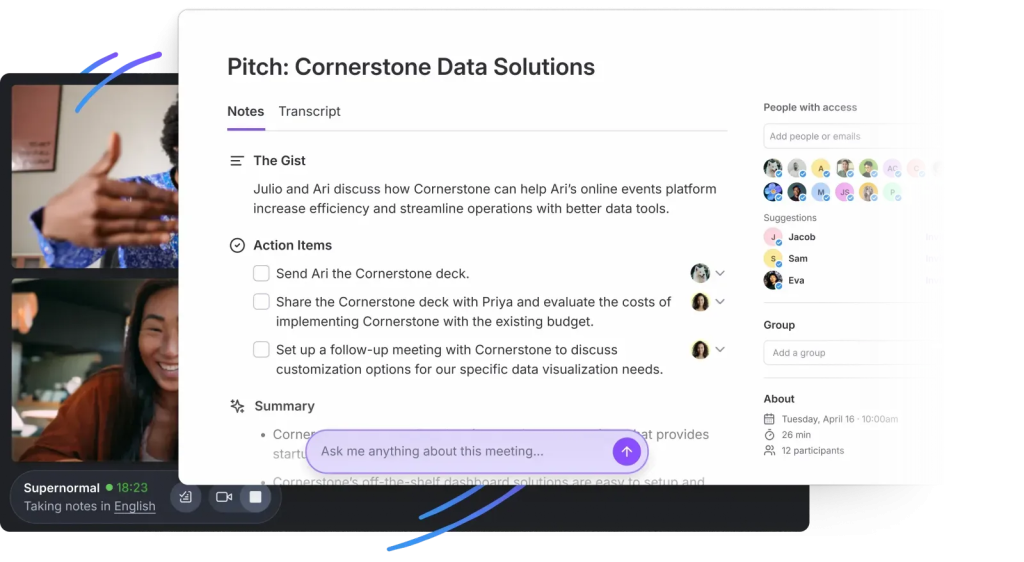
Supernormal delivers consistent, decision-focused meeting documentation using AI and templates. It auto-generates structured notes with actions, owners, and decisions, then pushes them into your daily tools so follow-ups happen without manual cleanup. Designed for teams that want meeting notes to match their process, Supernormal standardizes outcomes and accelerates handoffs across sales, CS, and delivery.
Best for:
Teams that need structured meeting documentation and action item tracking with templates that mirror their workflow.
Key features:
- Template-based summaries that enforce consistent formats across meeting types
- Automated action item detection and assignment to the right owners
- Decision tracking and outcome documentation for clear accountability
- Real-time AI assistant to clarify points and answer live queries
- 60+ language support for global teams
- Topic and group-based note organization with a personalized notetaker identity
10. Gong
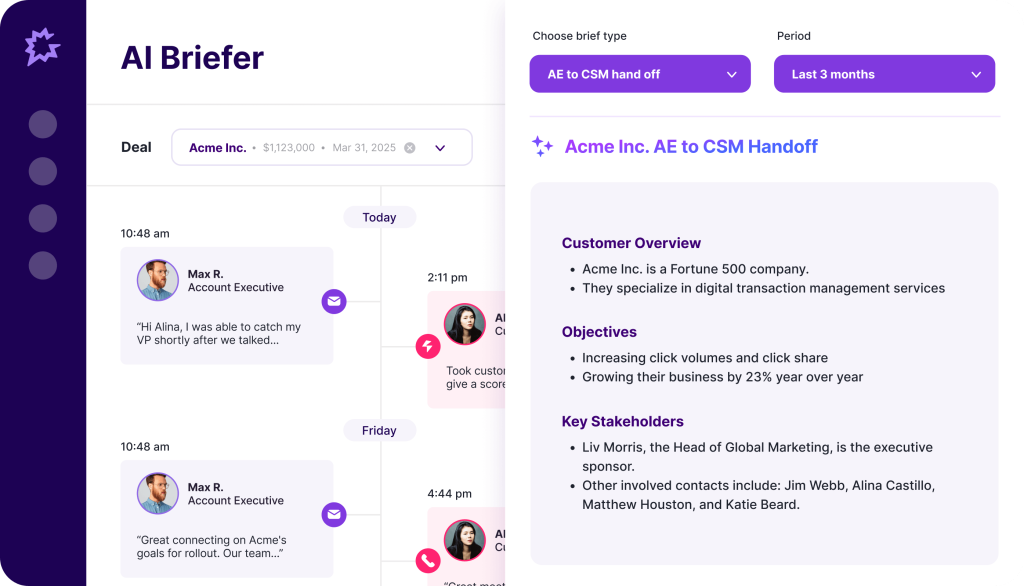
Gong is an AI-powered conversation and revenue intelligence platform that transforms sales interactions into actionable insights. It records and analyzes calls, emails, and meetings to surface deal risks, coaching opportunities, and forecast signals. With Call Spotlight, Gong delivers accurate, organized call summaries (highlights, outlines, briefs) without using public-facing AI models, and syncs insights directly to your CRM so reps and leaders get instant context and next steps.
Best for:
Enterprise sales teams that need conversation analysis, coaching, and forecasting intelligence tightly integrated with their CRM.
Key features:
- “Ask anything” Q&A: Query accounts, deals, and contacts to extract answers fast
- Deal and risk analytics: Uncovers patterns, objections, and stalls across pipelines
- Coaching and scorecards: Targeted rep improvement with KPI-aligned dashboards
- Forecast rollups: Connects conversation data to pipeline and forecast health
- CRM integrations: Salesforce, HubSpot, Microsoft Dynamics 365 for automatic syncing
- Multilingual support: 70+ languages for global sales coverage
Summary
If you’ve outgrown agendas-and-notes, the best Fellow alternatives are the ones that turn every call into outcomes – clean summaries, clear owners, and follow-ups that hit your CRM and workflows without extra clicks. Use this shortlist to match the platform to your operating style:
- Choose FuseBase if you want client-ready recaps and internal risk flags delivered inside branded client rooms, with AI agents that turn calls into tasks, trackers, and save-the-deal automations.
- Choose Avoma if you want all-in-one meeting workflows with agenda-to-transcript context, action items, and CRM sync for sales, CS, and product.
- Choose Fireflies.ai if you need simple, affordable, org-wide transcription and searchable call history with broad integrations.
- Choose tl;dv if you want fast recording, real-time transcripts, crisp AI summaries, and clip sharing – plus generous free usage.
- Choose Otter.ai if your priority is accurate, live transcription and searchable records with lightweight summaries.
- Choose Fathom if you want instant post-call summaries and mid-call highlights that sync cleanly to your docs and CRMs.
- Choose Granola if you prefer bot-free, on-device note-taking enhanced by AI for private, fast, actionable summaries.
- Choose Read.ai if you need analytics at scale – sentiment, speaker coaching, and cross-app search to bridge silos.
- Choose Supernormal if you want decision-focused documentation with templates and auto-assigned action items pushed into your tools.
- Choose Gong if you need enterprise-grade revenue intelligence, coaching, and forecast visibility across pipelines.