

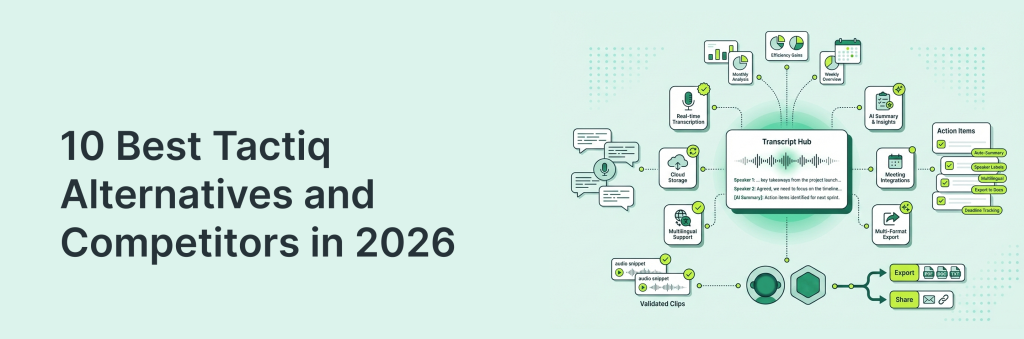
Tactiq is a popular choice for capturing meeting notes, but it’s not the only game in town – and it won’t be the best fit for everyone. Maybe you need deeper integrations (Slack, Notion, HubSpot), stronger summaries with action items, better support for Teams meetings, or pricing that scales more smoothly.
That’s why we put together this list of the 10 best Tactiq alternatives and competitors in 2026. You’ll get a clear look at what each tool does well, where it falls short, and who it’s best for, so you can pick the right meeting assistant without wasting time testing a dozen apps yourself.
TL;DR – 10 Best Tactiq Competitors
- FuseBase – Client-friendly workspace for meeting notes, docs, and follow-ups in one hub.
- Otter.ai – Popular transcription tool with strong search, highlights, and shareable notes.
- Fireflies.ai – Automates transcripts + summaries and pushes notes into common team tools.
- Fathom – Fast meeting highlights and clean summaries, great for quick recaps and sharing.
- Avoma – Built for revenue teams with structured notes, coaching, and meeting insights.
- Read.ai – Meeting summaries plus analytics-style insights on engagement and participation.
- tl;dv – Records, timestamps, and shares key moments; useful for async collaboration.
- MeetGeek.ai – Solid recap automation with action items and integrations for team workflows.
- Supernormal – Turns meetings into structured notes and templates with minimal setup.
- Gong – Enterprise-grade revenue intelligence for sales calls, coaching, and deal insights.
What is Tactiq?
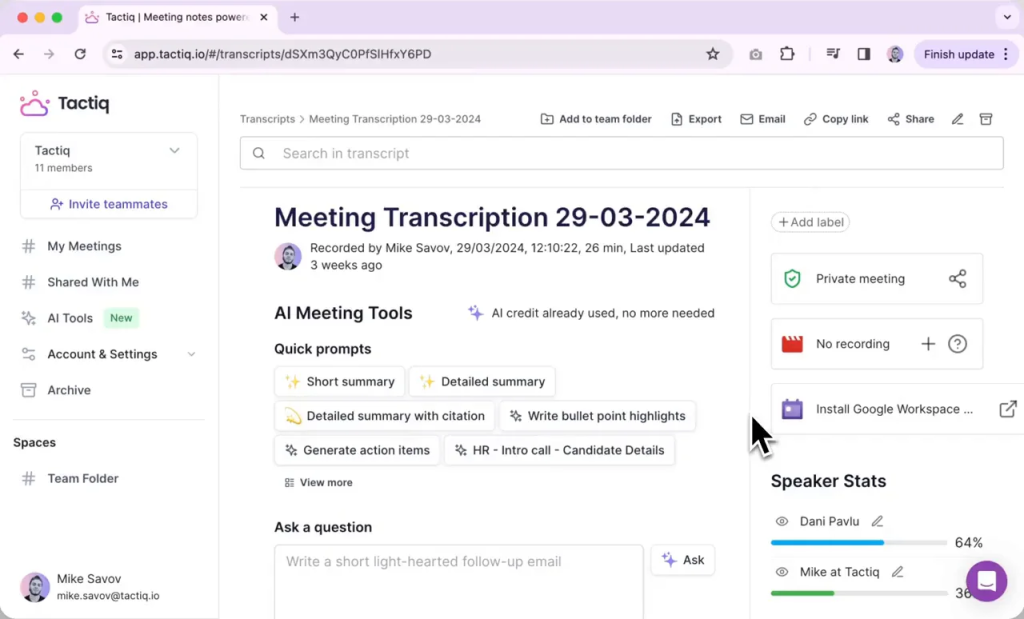
Tactiq is a meeting transcription and note-taking solution designed to help users capture what was said during calls and turn it into usable documentation. It’s widely used by individuals and teams who want quick transcripts, simple meeting notes, and easy sharing after calls. Many people choose it because it’s straightforward to use and fits neatly into common meeting workflows. Tactiq is especially handy for recurring meetings where you need a consistent record for follow-ups, training, or project updates. That said, features like integrations, AI summaries, and collaboration options vary, so it’s worth comparing Tactiq alternatives if you need more advanced capabilities or a different pricing model.
Pain Points and Limitations of Tactiq
- No sales coaching: No AI-driven coaching, talk track feedback, or deal guidance to lift win rates.
- No multi-meeting intelligence: Insights are locked to single calls. No thread across meetings, no trend views, no account-level rollups.
- Questionable compliance: No clear SOC 2 disclosure and fuzzy data retention. Can stall security and vendor reviews.
- Limited recording and storage: Limited video recording and no audio storage reduce audit trails and training value.
- Limited AI depth: Good summaries, but lacks risk flags, coaching, objection tracking, and pipeline impact metrics.
- Free version constraints: Tight transcription limits curb real-world adoption before upgrade.
- Audio sensitivity: Accuracy drops with poor audio, accents, or noisy environments.
- No advanced analytics: Missing dashboards for coaching, trends, or cross-call performance insights executives expect.
10 Best Tactiq Alternatives and Competitors
1. FuseBase
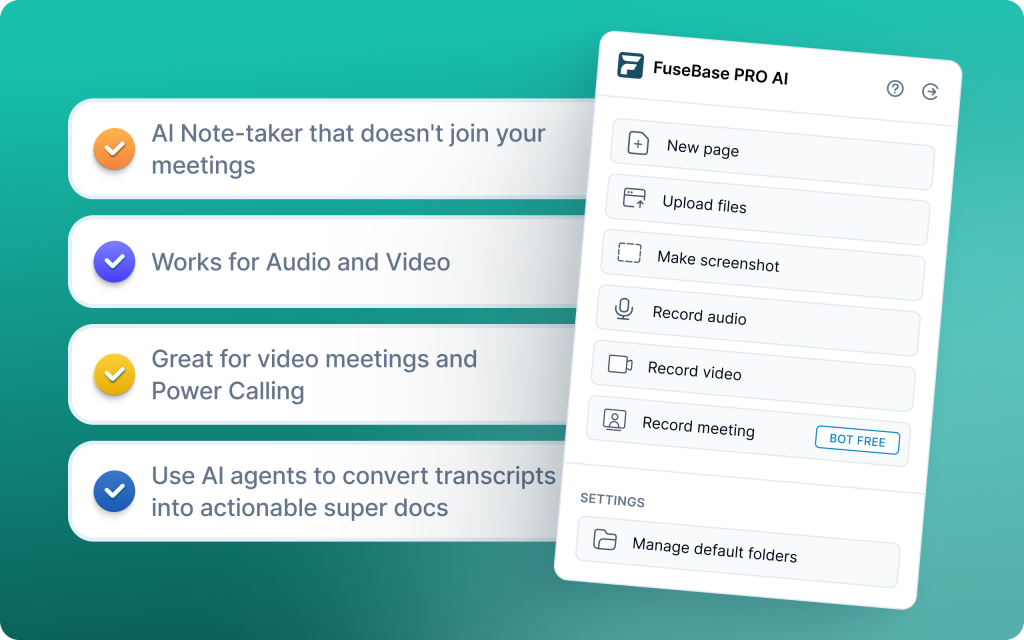
FuseBase turns every Zoom, Teams, or Meet call into a branded mini-room with recap, files, and next steps. It moves beyond note-taking into a Client Delivery Platform with bot-free recording, AI agents, and portals. Data is automatically split into a safe-to-share client recap and a private internal workspace for coaching, risks, and tasks. Trackers surface real business signals across meetings like scope creep, missing next steps, and renewal risk.
Pros
- Eliminates administrative “glue” work between meetings and PM tools
- Protects margins with Scope Creep detection
- Unified AI workspace with agents and automation
- Custom-branded, white-label client portals and per-meeting mini-rooms
- Automatic internal vs external separation (client-ready vs coaching notes)
- Cross-meeting intelligence and dashboards (e.g., “no next meeting,” rising risk)
Cons
- Can feel complex for solo users who just need a personal scratchpad
- Not as narrowly meeting-focused as pure note-taking tools
Best use case: Professional services, agencies, and CS teams managing high-value clients who need client-ready rooms plus internal coaching and automation.
2. Otter.ai

Otter is a leading live transcription tool built for real-time meetings. Its standout feature, Otter AI Chat, lets you ask questions during the call and instantly pull answers from the conversation. Teams can access, annotate, and discuss transcripts live, reducing post-meeting follow-up. It also supports uploads of pre-recorded audio and video for fast transcription.
Pros
- High-quality live transcription with readable formatting
- Otter AI Chat for real-time Q&A like “What are my action items?”
- Strong team collaboration with simultaneous access, highlights, and comments
- Upload pre-recorded audio and video for transcription
- Mobile app for on-the-go review
Cons
- Speaker identification can be inaccurate in larger meetings
- No video recordings included in most plans
- Occasional transcription inaccuracies
Best use case: Teams that need live captions and real-time Q&A during meetings to quickly surface action items and decisions.
3. Fireflies.ai
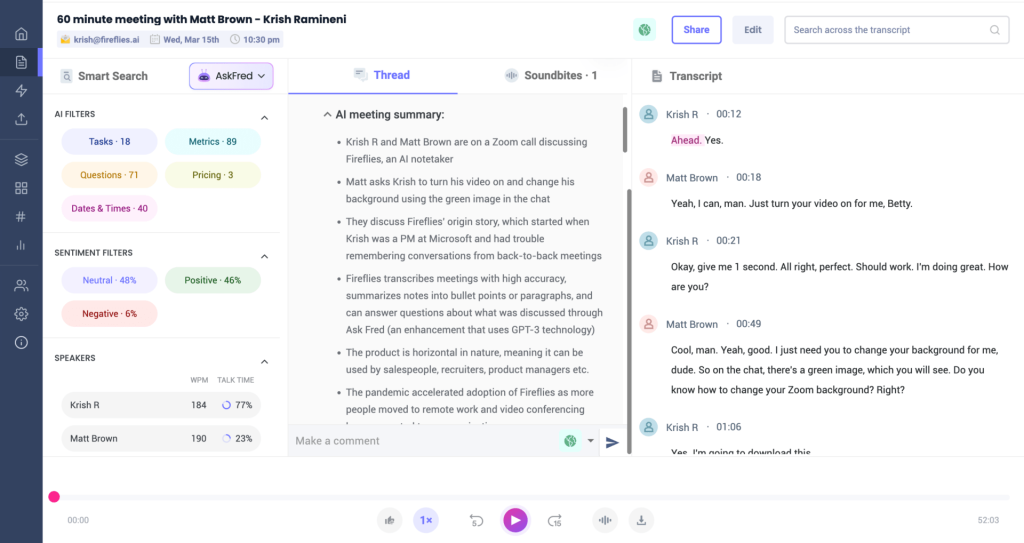
Fireflies is a simple, affordable AI notetaker that records and transcribes meetings across platforms, logs key points to CRMs, and layers in basic analytics. Powered by GPT-4, it generates summaries with highlights, action items, and topic-wise notes while supporting comments and tagging for async collaboration. Smart search makes past calls easy to mine for questions, metrics, and dates. It lacks advanced coaching or forecasting, but it’s a solid entry point for quick documentation with minimal setup.
Pros
- Platform-agnostic capture and wide integrations (Zoom, Slack, Notion, CRMs)
- Quick to deploy at scale with near-zero training
- AI super summaries with highlights, action items, and topic notes
- Searchable conversation history with smart filters
- CRM logging to keep systems of record up to date
Cons
- Limited coaching and conversation intelligence depth
- Bot can join meetings late and miss context, affecting summary quality
Best use case: Teams that want low-friction, cross-platform transcription and searchable summaries with CRM sync, without needing deep coaching or forecasting.
4. Fathom
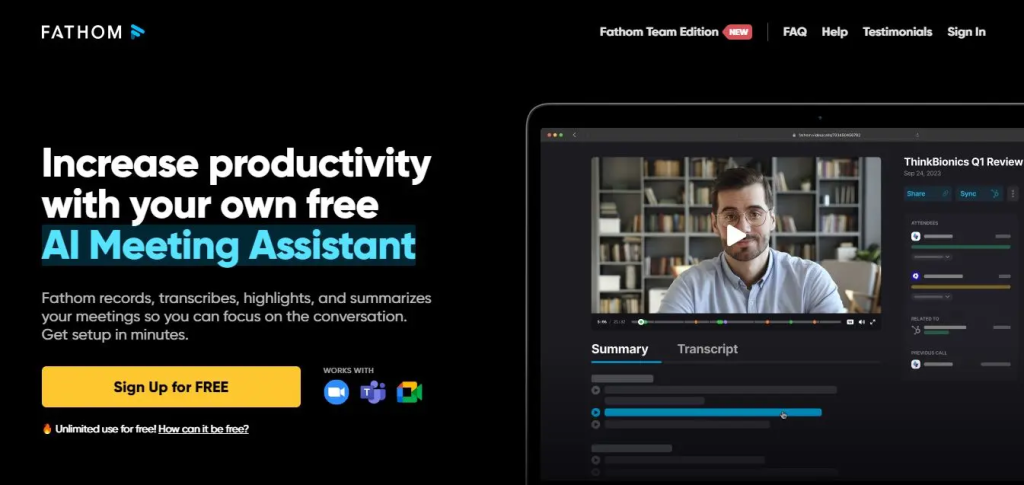
Fathom records, transcribes, and summarizes Zoom, Google Meet, and Teams calls, then pushes AI-generated insights into CRMs like Salesforce, HubSpot, and Close. You get clean, post-call summaries with key points, to-dos, timestamps, and one-click highlights for sharing to Slack or Notion. It can draft follow-up emails and task reminders, helping reps act fast without tab-hopping. With support for 25+ languages and lightweight setup, it fits sales, CS, and startup teams that want speed over bloat.
Pros
- Unlimited free recordings and transcriptions
- AI summaries with action items, timestamps, and one-click highlights
- Direct CRM sync (Salesforce, HubSpot, Close) for automated logging
- Works across Zoom, Google Meet, and Microsoft Teams
- Drafts follow-up emails and task reminders for faster execution
Cons
- No mobile app
- Struggles with noisy environments or overlapping speakers
- Limited ability to tailor or edit summary style and depth
Best use case: Fast, budget-friendly capture of sales and CS call insights with automatic CRM-ready notes and instant sharing.
5. Avoma
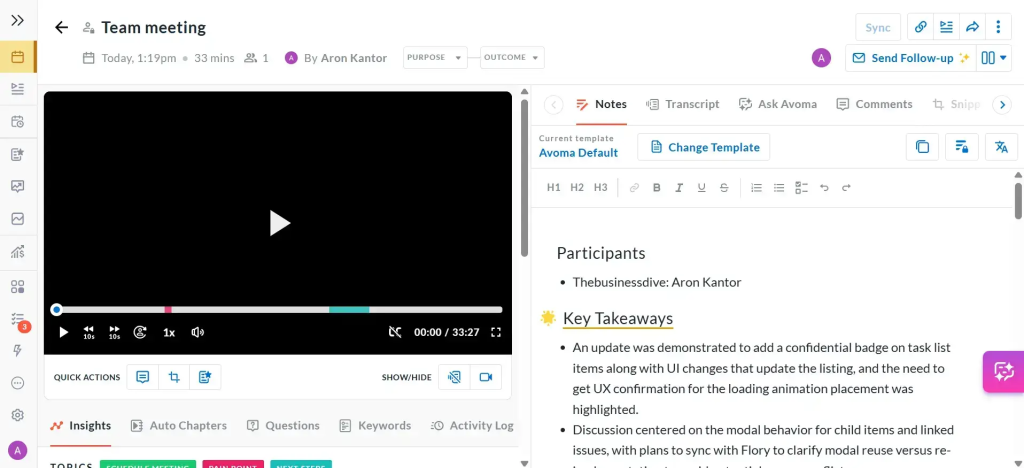
Avoma automates the entire meeting lifecycle: scheduling, recording, real-time transcription in 40+ languages, AI notes, follow-ups, and CRM updates. It breaks calls into chapters, generates structured notes with action items, and syncs to Salesforce and HubSpot so nothing is double-entered. Revenue teams get deal intelligence with red flag tracking, scorecards, and analysis against frameworks like MEDDIC or SPICED. For leaders, AI forecasts and pipeline views surface risks early, while built-in round-robin scheduling eliminates calendar ping-pong.
Pros
- End-to-end workflow: transcription, AI notes, action items, and CRM sync
- Deal intelligence: risk flags, scorecards, and framework-based analysis
- Chapters and structured notes for fast review
- Built-in scheduling (round-robin, group) and robust integrations (1000+)
- Mobile apps and chatbot (Ask Avoma) for quick answers and on-the-go access
Cons
- Assistant may join late and miss early context
- Speaker labeling sometimes needs fine-tuning
- Steeper learning curve for advanced CI and revenue features
Best use case: Sales and CS teams that want automated notes plus deal and pipeline intelligence tightly synced with their CRM.
6. Read.ai
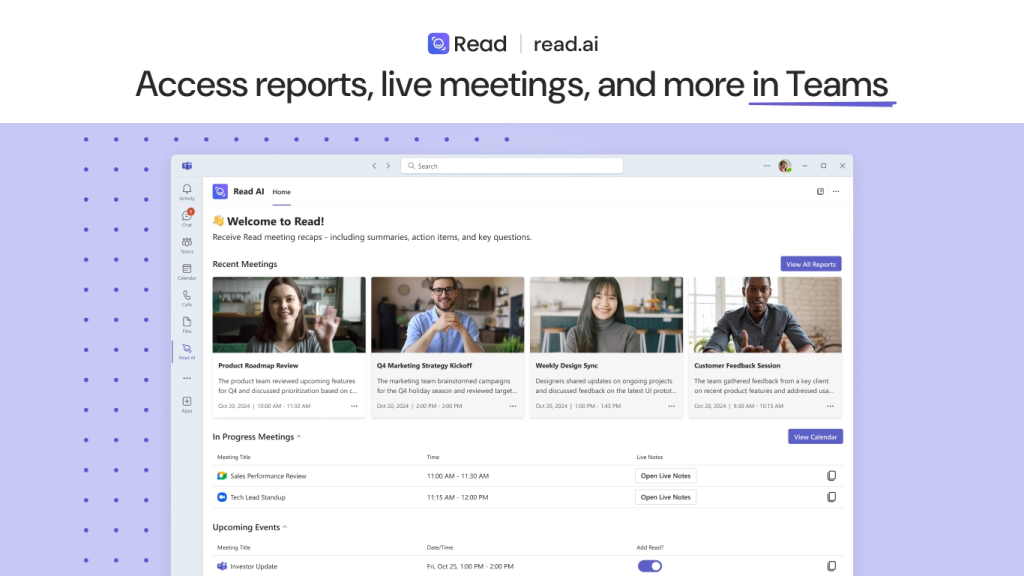
Read.ai records Zoom, Teams, and Google Meet, delivering real-time summaries plus engagement and sentiment metrics while the meeting is happening. Its Speaker Coach gives personal feedback on talk time, clarity, and style so you can improve on the fly. Search Copilot pulls answers across meeting transcripts, Slack, Teams, Gmail, and Outlook to speed decisions. Post-call, you get highlights, playback, and detailed reports to track trends across conversations.
Pros
- Real-time metrics and summaries surfaced inside Zoom and Teams
- AI Speaker Coach for actionable feedback on delivery and talk ratios
- Cross-platform Search Copilot across transcripts, email, and chat
- Detailed analytics with sentiment and engagement trends
- Playback and highlight reels for fast review and sharing
Cons
- Meeting bot can join automatically and be hard to fully disable
- Removal and privacy controls can feel rigid once connected
Best use case: Teams that want meeting analytics and conversation tracking across apps, with in-meeting coaching and cross-channel search.
7. tl;dv
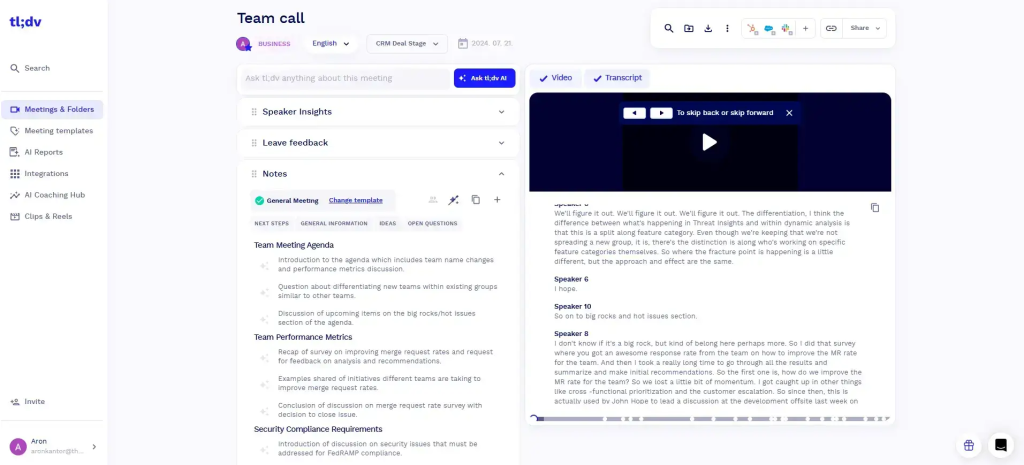
tl;dv records calls, generates transcripts, and makes it easy to tag and share insights across teams without heavy setup. Built for remote and research-heavy workflows, it shines for user interviews, product discovery, and collaborative workshops. It supports multi-language transcription and async-friendly clip sharing, so distributed teams can stay aligned fast. While it is not sales-specific or deep on analytics, it delivers speed, clarity, and lightweight automation.
Pros
- Unlimited recordings and transcripts on the free plan
- AI highlights to surface key takeaways and to-dos
- Supports 30+ languages for global teams
- Clip sharing and tagging for async collaboration
- Integrations into CRM, Slack, Notion, plus Zapier for 6,000+ tools
Cons
- Surface-level CI: limited analytics and no real coaching
- CRM hygiene features are basic compared to sales-focused tools
Best use case: Remote product and research teams that need fast, multilingual recording, highlights, and shareable clips for async alignment.
8. MeetGeek.ai
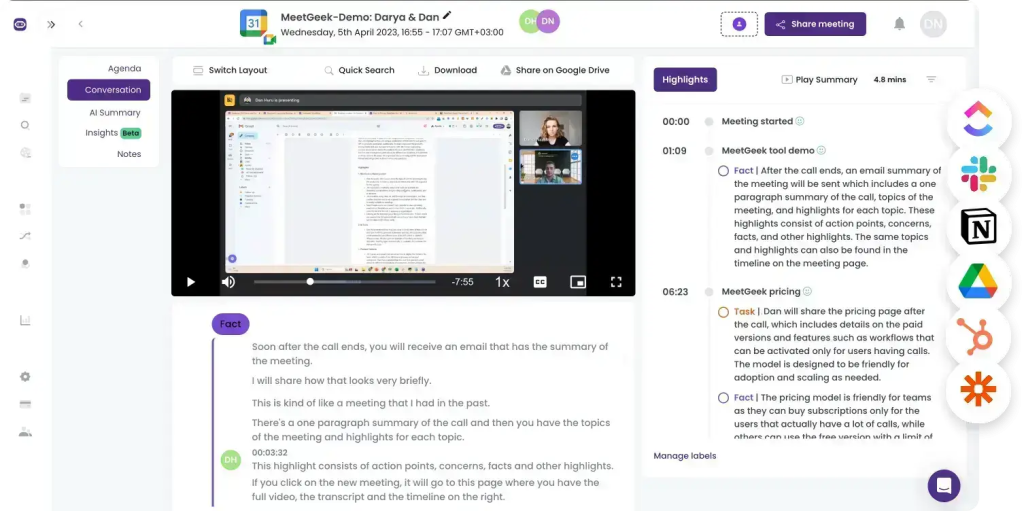
MeetGeek is an AI meeting assistant that automates transcription, summarization, and analytics with a focus on accuracy and detail. It generates thorough AI summaries with action items and key points, then centralizes everything in a searchable team library. With conversation intelligence metrics and customizable templates, it helps teams standardize meetings and improve follow-ups. It plugs into your existing stack through native connectors and thousands of integrations via Zapier.
Pros
- Advanced analytics and conversation intelligence with engagement and speaker metrics
- Thorough AI summaries with clear action items and key points
- Customizable templates and structured workflows for repeatable meetings
- Team collaboration with a searchable library of recordings and insights
- Strong security posture and GDPR compliance
Cons
- Free tier limits transcription features and depth
- Summaries can miss context-specific nuance without manual review
Best use case: Teams that want advanced meeting analytics, standardized templates, and automated follow-ups to reduce meeting inefficiency.
9. Supernormal
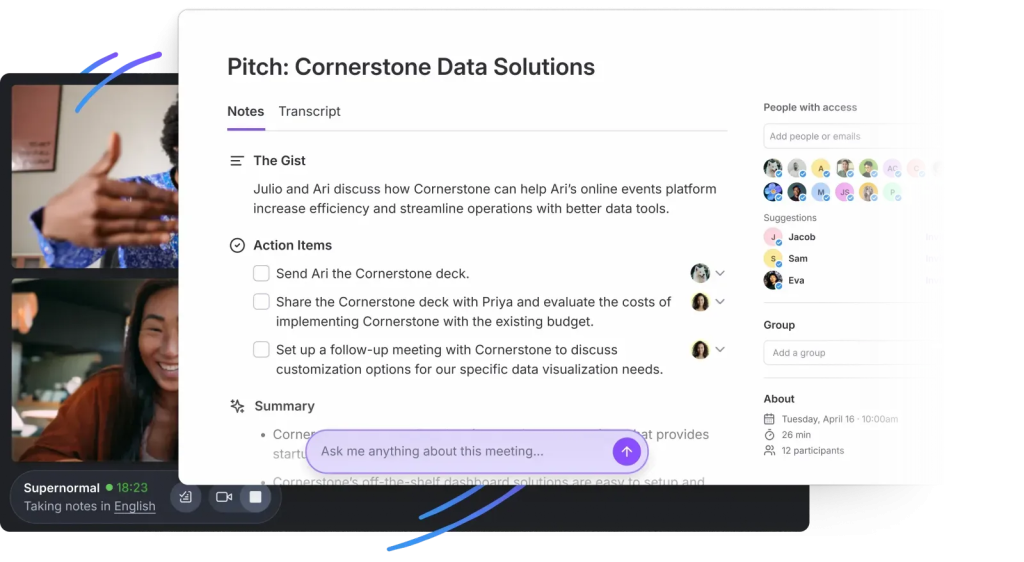
Supernormal captures, transcribes, and summarizes Zoom, Google Meet, and Teams calls without a visible meeting bot, using extensions and native integrations. It delivers clean, structured AI notes with tasks and decisions, then syncs them to tools like Asana, ClickUp, Linear, Trello, and CRMs such as HubSpot and Salesforce. Ask Norma lets you query past meetings or draft follow-ups from context. It’s built for people who want fast, polished summaries and workflows without adding meeting friction.
Pros
- No visible bot in most setups, keeping calls private and low-friction
- AI summaries organized by sections with actions and decisions
- Task syncing to Asana, ClickUp, Linear, and Trello
- CRM connections for pushing notes to HubSpot and Salesforce
- Custom templates and agenda prep with a searchable notes dashboard
Cons
- Requires a Chrome extension for Google Meet and may rely on a joiner bot in some scenarios
- Cannot capture in-person or fully offline meetings
- Summaries can struggle with exact-quote fidelity and advanced search across past content
Best use case: Quick post-meeting documentation with clean templates and task sync, without a visible bot in the call.
10. Gong
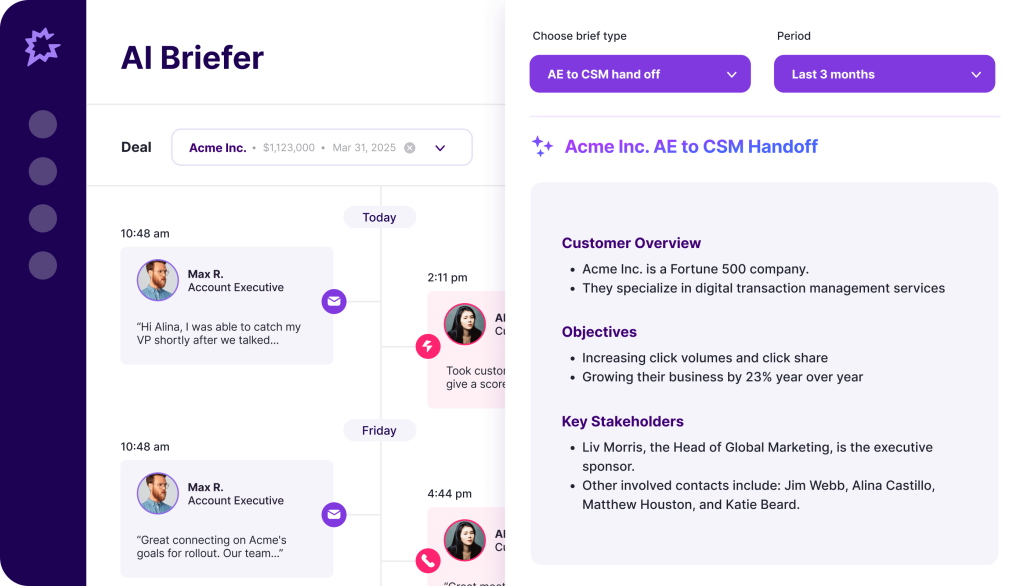
Gong turns customer interactions into actionable revenue insights by recording and analyzing calls, emails, and meetings. It layers conversation intelligence with deal health tracking, pipeline visibility, and AI-assisted forecasting, so leaders can spot risks early and coach reps effectively. Post-call AI summaries and guided follow-ups streamline execution, while CRM and conferencing integrations keep data flowing without manual work. It is built for sales orgs that want predictable, data-driven growth.
Pros
- Deep deal intelligence and pipeline visibility with AI risk flags
- Robust sales coaching and performance scorecards
- AI summaries and automated follow-up support
- Strong CRM and meeting platform integrations
- Supports 70+ languages for global teams
Cons
- High cost and heavier rollout compared to lightweight notetakers
- Data overload can require careful tuning and governance
- Processing and search can feel slow or imprecise on large datasets
Best use case: Enterprise and mid-market sales teams needing coaching, deal intelligence, and forecasting on top of reliable call capture.
Summary
The notetaker category has matured. Now it is about which platform turns conversations into client-ready outcomes the fastest. FuseBase leads for client-facing teams: bot-free recording plus branded mini-rooms that split safe-to-share recaps from internal coaching and convert every call into next steps, tasks, and trackers. Avoma is the choice for structured discovery and lifecycle CI; Gong for enterprise-grade deal intelligence and forecasting; Read.ai for engagement analytics and cross-app search; MeetGeek for advanced metrics and standardized templates; Fireflies, Fathom, tl;dv, Otter, and Supernormal for speed-to-value, clean summaries, and async clips without heavy lift.
Staying on a basic transcription tool risks unlogged follow-ups, missing risk signals, and slower revenue cycles. Upgrading to a platform that ties transcripts to branded client spaces, automations, and cross-meeting intelligence improves pipeline hygiene, shortens TTV, and protects margin.