

Fireflies.ai made it easy to hit “record,” get a transcript, and walk away with a basic summary. For many teams, that was a huge upgrade from manual note-taking. But as meeting volume grows and deals, projects, and client relationships ride on those conversations, just having a transcript stops being enough. You need a system that not only listens, but turns what was said into clear next steps, updates in your tools, and recaps people will actually read.
In this article, we’ll walk through the 9 best Fireflies.ai alternatives for teams that care about transcripts, action items, and recaps in equal measure. Some tools double down on revenue intelligence and coaching, others specialize in client-ready summaries or voice-of-customer insights, and a few focus on low-friction capture without bot clutter.
30-Second Summary of Top Fireflies.ai Alternatives
- FuseBase – Best for client-facing teams.
- Fathom – Best for free solo recording.
- Avoma – Best for sales and CS coaching.
- Read.ai – Best for meeting health analytics.
- CustomerIQ – Best for voice-of-customer insights.
- Gong – Best for revenue intelligence.
- Supernormal – Best for polished AI notes.
- tl;dv – Best for highlight-driven recaps.
- MeetGeek – Best for meeting trends and patterns.
What is Fireflies.ai?
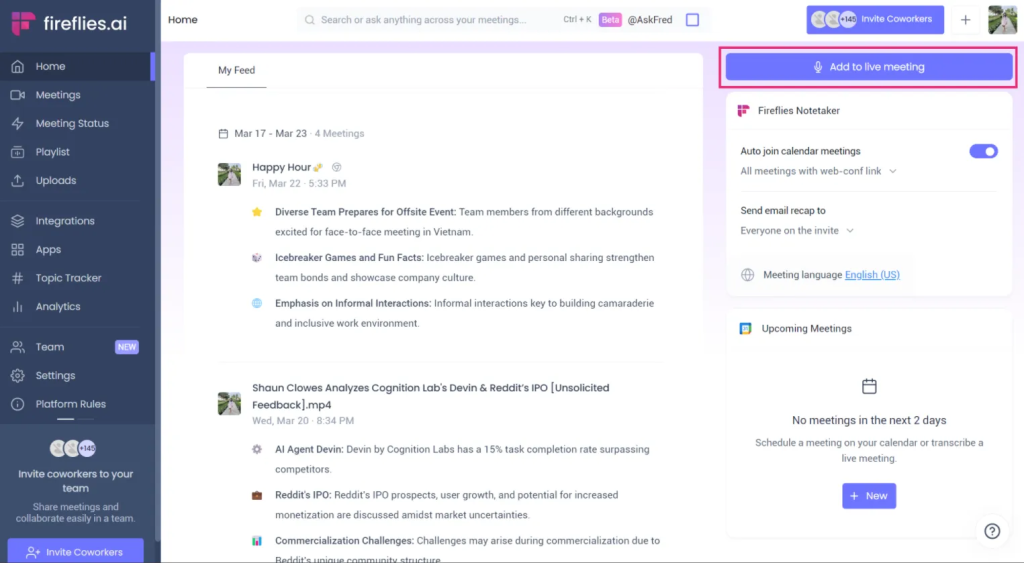
Fireflies.ai is an AI notetaker built for simplicity and affordability. It records and transcribes Zoom, Microsoft Teams, Google Meet, and more, then delivers AI summaries you can customize to your meeting type. With speaker recognition across 60+ languages, clickable transcripts, comments, bookmarks, and soundbites, it offers fast documentation with a short learning curve and clean UI. Teams can share transcripts and summaries in a few clicks, push basics to CRMs and project tools on paid plans, and use mobile apps on iOS and Android. Standout features include AI super summaries, smart search filters, and the AskFred chatbot.
Fireflies.ai Pros and Pain Points
Pros
- Simple, affordable AI notetaker with a short learning curve and clean UI
- Records and transcribes Zoom, Teams, Google Meet, and more with speaker IDs
- Transcribes in 60+ languages with clickable transcripts, comments, bookmarks, and soundbites
- AI super summaries with customizable structure, next steps, and topic-wise notes
- Smart search filters to find questions, metrics, dates, and keywords across meetings
- AskFred chatbot for Q&A, agendas, follow-ups, and social post drafts
- Collaboration features for comments, pins, and easy sharing
Pain Points
- Complex pricing model charging every invited member, plus extra fees for templates and AskFred usage
- Bot can join late and miss context, leading to inaccurate summaries and transcripts
- Multilingual accuracy beyond English can be weak
- Basic conversation intelligence; lacks coaching, call scoring, competitor tracking, and forecasting
- Free plan’s analytics are limited; meaningful insights require the Business plan
- Strict free upload cap of 3 files before requiring an upgrade
Top 9 Fireflies.ai Alternatives for Your Team
1. FuseBase
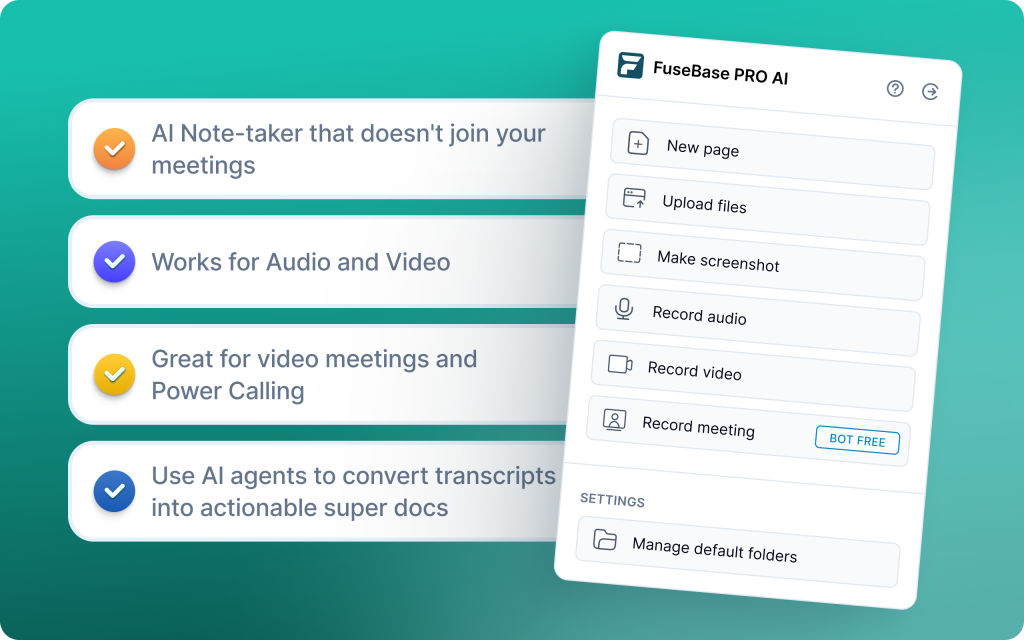
FuseBase is a bot-free AI meeting recorder and workspace that turns every Zoom, Teams, or Meet call into a branded mini-room with recap, decisions, next steps, and all supporting assets. Instead of a transcript link, you share a client-ready space that looks organized and premium under your own domain. AI agents watch calls for risk, opportunities, and follow-ups, then auto-create tasks, populate trackers, and trigger workflows in your tools. Dashboards roll up signals like no next meeting, scope creep, or renewal risk so managers can act fast.
Pros
- Split internal vs client notes and bot-free capture options
- Portals per meeting with recap, files, and action items you can send as-is
- White-label for a consistent client experience
- Connects transcripts to tasks, checklists, and client workspaces
- Roll-up analytics and alerts across accounts, reps, and projects
Cons
- More value if you need client-facing portals and workflows, not just notes
- Portals and workflows shine only after some initial configuration.
2. Fathom
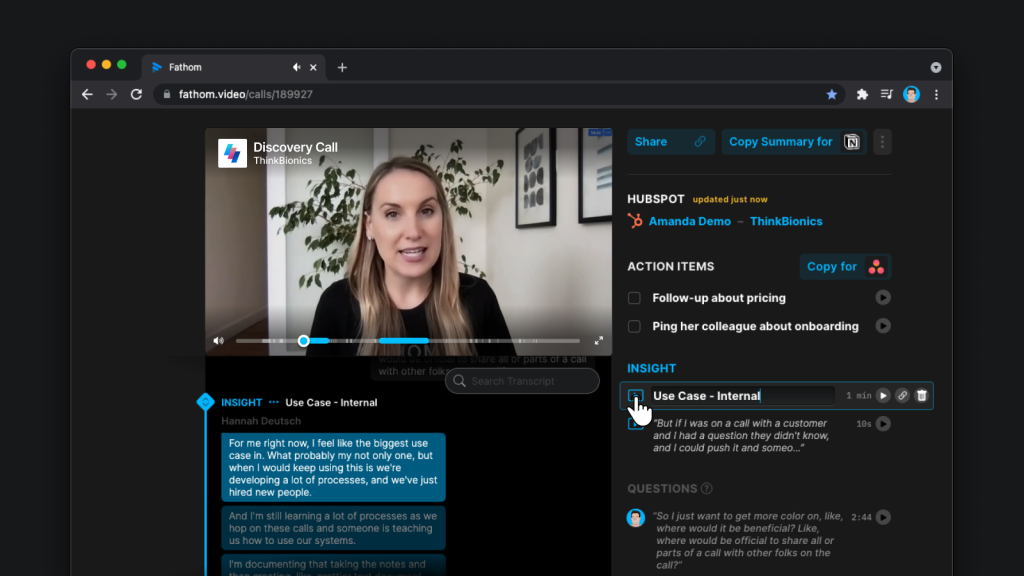
Fathom records, transcribes, and auto-summarizes Zoom, Google Meet, and Teams calls, then pushes insights straight into Salesforce, HubSpot, or Close so reps don’t waste time logging. You get clean, timestamped recaps with key points and to-dos right after the meeting, plus one-click highlights to tag next steps during live demos. With 25+ languages and real-time feedback like monologue alerts, Fathom helps global teams act faster without heavy setup.
Pros
- Instant, structured summaries with timestamps and action items
- Native CRM sync (Salesforce, HubSpot, Close) and auto-drafted follow-ups
- One-click highlights, Slack/Notion sharing, and real-time talk-time coaching
- Easy setup; great fit for startups, reps, CS, and remote teams
Cons
- Lighter on deep coaching and forecasting
- Bot-based capture can miss context if late to join
3. Avoma
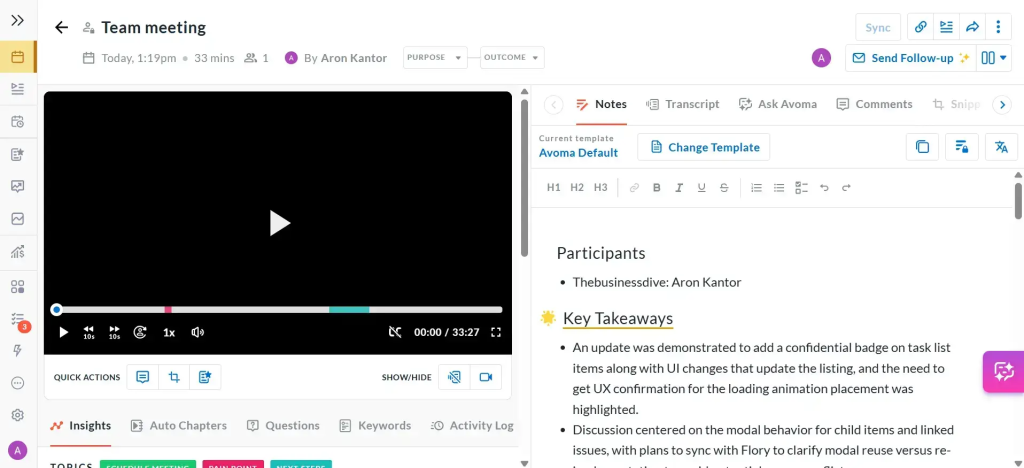
Avoma automates the full meeting lifecycle – scheduling, real-time transcription (40+ languages), chaptered conversations, AI notes with action items, and instant CRM updates to Salesforce/HubSpot. It adds deal intelligence and coaching by scoring calls, flagging red signals, so reviews take minutes, not hours. Built-in AI forecasting surfaces pipeline risk early, while round-robin and group scheduling kill calendar ping-pong.
Pros
- End-to-end workflow: schedule, transcribe, summarize, and push to CRM
- Structured AI notes with chapters, actions, and owners
- Deal intelligence, coaching signals, and AI forecasts for pipeline health
- Agenda-to-transcript sync, cross-functional comments/highlights, and flexible sharing
Cons
- More complex rollout than lightweight notetakers
- Higher cost vs basics
4. Read.ai
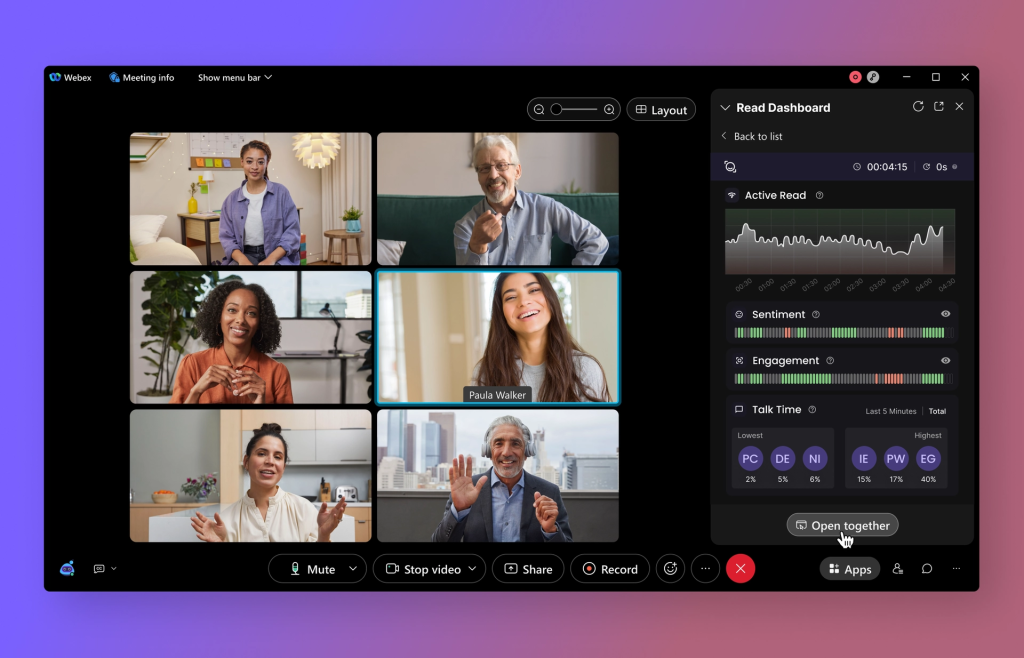
Read.ai is built for large, cross-functional teams that want smarter notes powered by enterprise analytics. It layers sentiment and engagement directly on transcripts, delivers bot-generated summaries with highlights, and coaches speakers on clarity, talk time, and filler words. Its cross-team search unifies transcripts, chat, and docs. A robust insights dashboard reveals bottlenecks and alignment gaps across departments.
Pros
- Meeting insights dashboard with actionable metrics for alignment and performance
- Transcription 2.0 with sentiment and engagement overlays
- Speaker coaching plus bot-delivered summaries and highlights
- Cross-platform summarization from Gmail, Outlook, Slack, and Teams
Cons
- Bot-based capture can introduce late-join gaps in context
- Advanced features require governance and change management to realize full value
5. CustomerIQ
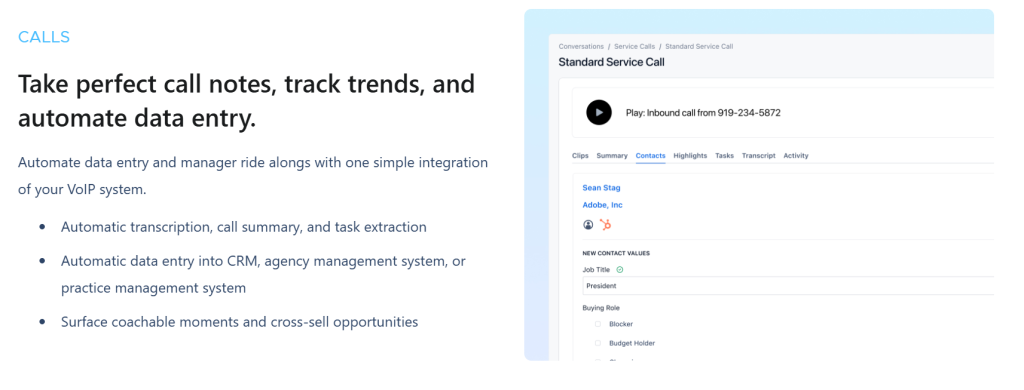
CustomerIQ goes past transcription by unifying meeting notes, CRM automation, and AI-powered email into one revenue workflow. It auto-joins calls, captures context, and pushes structured data to HubSpot or Salesforce, filling contacts, deal stages, and custom fields without manual entry. Cross-channel insights connect themes across calls and emails, triggering proactive alerts and coaching signals.
Pros
- Automatic CRM population (HubSpot, Salesforce) from conversation content
- AI email assistant for inbox triage, contextual replies, and post-call follow-ups
- Strong search & tagging: Easier to find patterns across many calls, not just one-off transcripts
- Voice notes, content library, and account/workspace intelligence for scale
Cons
- Less about daily note-taking: Not as focused on simple meeting notes or quick recaps for every call.
- To get real value, you’ll need to define tags, categories, and workflows.
6. Gong
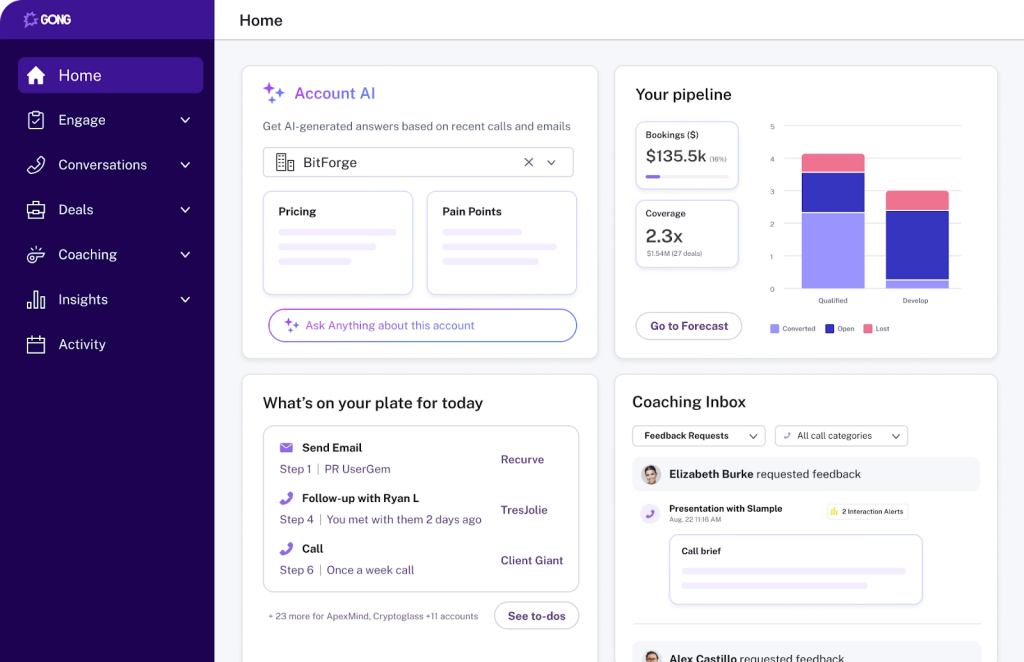
Gong is an enterprise revenue intelligence platform that turns conversations into deal insights, pipeline signals, and coaching moments. It analyzes patterns across calls to surface risks, forecast shifts, and competitive pressure. Reviews move faster with highlights, organized outlines, and call briefs. It’s best for mature sales orgs that can leverage deep analytics and coaching at scale.
Pros
- Advanced revenue intelligence: pipeline tracking, forecasting, risk and competitor insights
- “Ask anything” Q&A on call content without rewatching
- Smarter summaries: highlights, structured outlines, and quick call briefs
- Strong CRM integration and coaching analytics for large teams
Cons
- Built for full revenue orgs, so setup, onboarding, and admin can feel overwhelming for smaller teams.
- Premium pricing and per-seat costs make it a significant investment compared to lighter Fireflies.ai alternatives.
7. Supernormal

Supernormal turns live Zoom and Google Meet conversations into structured, decision-ready documentation, not just transcripts. It generates real-time agendas, recaps, and action items. Template-driven automation standardizes notes across meetings, capturing decisions, owners, and due dates in a consistent format. For remote teams that want quick, organized documentation embedded in existing workflows, Supernormal delivers clarity and follow-through at speed.
Pros
- Real-time agendas, summaries, and action items for immediate alignment
- Template-based notes for consistent, decision-focused documentation
- Automated action item extraction, assignment, and decision tracking
- Deep integrations with Google Docs, Slack, and Notion for seamless handoffs
Cons
- Limited options for separating internal vs client views or building structured spaces.
- Not as strong on coaching, deal insights, or meeting health compared to revenue-focused tools.
8. tl;dv
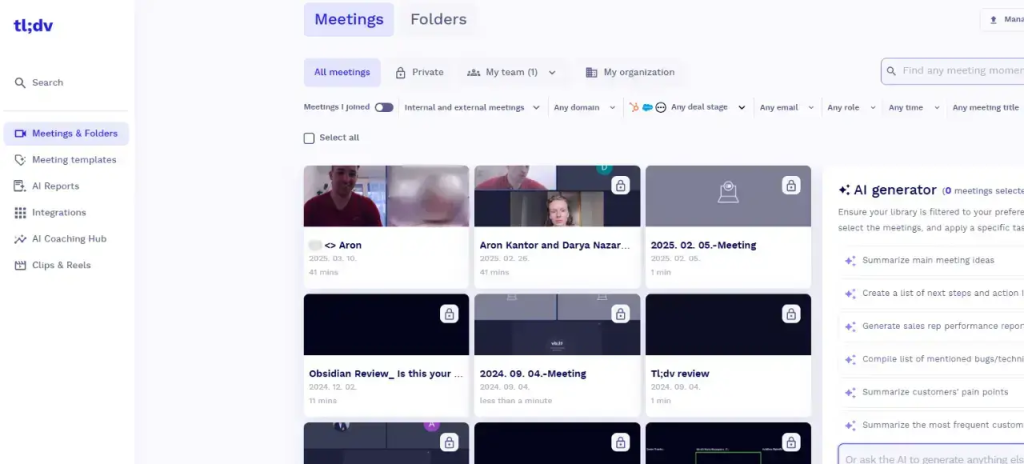
tl;dv is a researcher-friendly AI notetaker that records and transcribes across Zoom, Google Meet, and Microsoft Teams. It shines for user interviews and product research with timestamped highlights, intuitive tagging, and a team library that makes insights easy to find. With 30+ languages and a built-in recording library, tl;dv turns scattered interviews into shareable, structured knowledge.
Pros
- Intuitive tagging, timestamped highlights, and fast search for research workflows
- Multi-meeting trend analysis with inbox reports for quick pattern spotting
- Team libraries for organized, reusable insights across squads
- Works across Zoom, Google Meet, and Microsoft Teams with 30+ languages
Cons
- Free plan is limited in features and storage, with no downloads or customization
- Surface-level conversation intelligence and limited CRM logging
9. MeetGeek
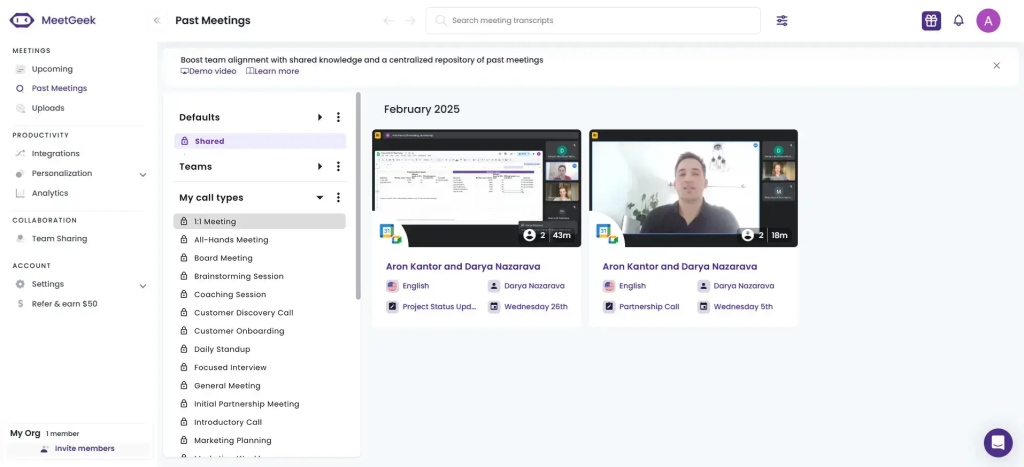
MeetGeek is an automation-first assistant that transcribes, records, and summarizes both online and offline meetings, then organizes outcomes with templates, folders, and timestamped highlights. It handles pre-recorded files, supports 20-50 languages depending on setup, and pushes insights into your stack through a large integration ecosystem. For sales teams and recurring team meetings, MeetGeek delivers structured, send-ready recaps with minimal setup.
Pros
- Accurate transcription for live and pre-recorded files, mixed-language support
- Auto-recording with timestamped sharing for quick reference and coaching
- Advanced analytics (sentiment, performance), smart highlights, speaker labeling
- Custom templates, folders, easy export, history search, auto-distribution
Cons
- No simultaneous multilingual transcription
- Lacks an AI Copilot for on-demand Q&A over meeting content
Conclusion
If Fireflies.ai covers the basics but falls short on accuracy, follow-through, or revenue signal, these nine tools go beyond notes by turning calls into actions and insight. FuseBase is the most complete option when meetings feed directly into client work, pairing AI summaries with branded spaces and clear internal vs client views. Fathom and Supernormal focus on fast, clean recaps for individuals and small teams, while Avoma and Gong add deep revenue workflows, coaching, and pipeline insight. Read.ai and MeetGeek lean into meeting analytics and behavior patterns, tl;dv specializes in timestamps and highlights for longer sessions, and CustomerIQ turns conversations into structured voice-of-customer insights for product and marketing.